Taking Calls on an iPhone Connected to iClarityHD Precision
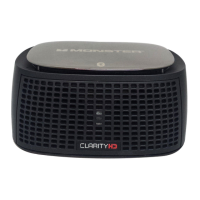
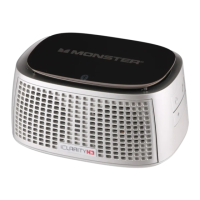
Micro Bluetooth Speaker
Whenyoureceiveanincomingcall,analertwillsoundfromiClarityHD
PrecisionMicroBluetoothSpeaker.Ifyouarelisteningtomusicfrom
youriPhone,themusicwillautomaticallypause.
To accept a call:Youcanacceptacallasyouusuallydo,usingyour
iPhonecontrolsorpressthe onthesideofiClarityHDPrecision
MicroBluetoothSpeaker.Speaknormally.Yourcallwillcomethrough
thespeakersandyourvoicepickedupthroughthebuilt-inmic.
To end a call:UseyouriPhonecontrolsorpressthe button.
To reject a call:UseyouriPhonecontrolsorpressandholdthe button.
To use call waiting:UseyouiPhonecontrolsorpressandreleasethe
buttontwiceinsuccessiontoputtherstcallonholdandanswerthe
incomingcall.Repeattoswitchbacktotherstcall.
NOTE:iClarityHDPrecisionMicroBluetoothSpeakerwillnotplayinstereo
whenthe“BluetoothHeadset”optionisselected.Besuretohave“Bluetooth
Headphones”selectedforbestaudioplayback.
3.Clickonthe“Input”Tab.IfyouareusingiClarityHDPrecisionMicroBluetooth
Speakerforonlinechat,highlight“iClarityHDPrecisionBluetoothHeadset.”
NOTE:Someaudiodelaymayoccurwhenwatchingvideoplayback,causing
audioonvideotobe“outofsync”whenconnectedviaBluetooth.Usea3.5
mmminijackcableforoptimalperformancewithvideoplayback.
SeesectionConnecting to a device via 3.5 mm “AUDIO IN” input.
NOTE:AlwaysbesuretoswitchiClarityHDPrecisionMicroBluetooth
Speakertothe“OFF”positionwhennotinusetosavebatterycharge.








 To Next Page