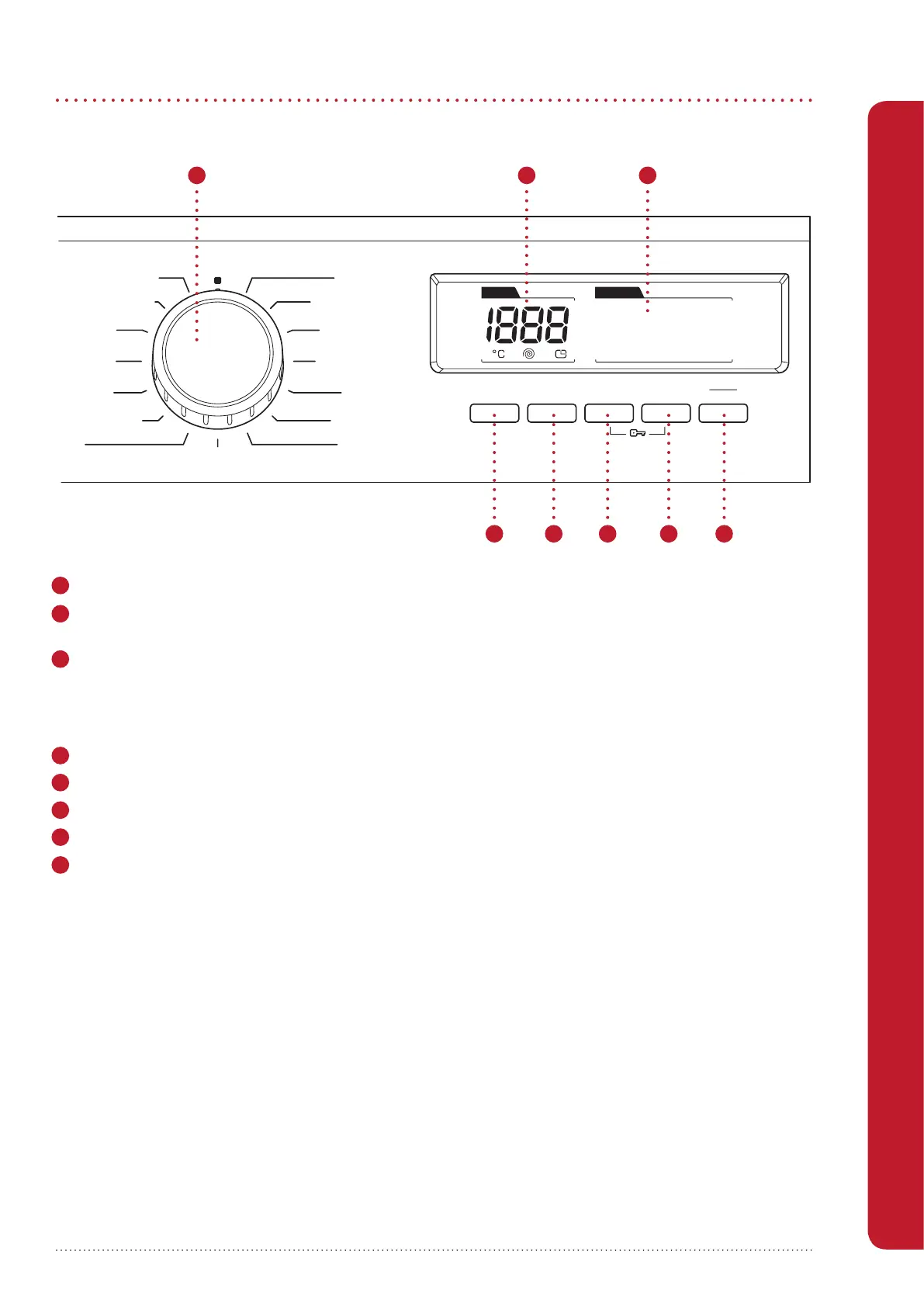
1 Programme Dial – for selecting a wash and/or dry programme (see Programme Tables on pages 14-16)
2 Digital Display - displays water temperature, spin speed, programme status, and the Child Lock status
(also displays error codes, see page 24).
3
Function Display – displays:
• the drying level selection
• whether the delay timer is active
• whether a programme is in operation or has been paused.
4 Temperature Adjustment Button – for adjusting the wash temperature.
5 Spin Speed Adjustment Button – for adjusting the spin speed (RPM) or switching the spin option o.
6 Dry Level Button – for selecting a drying level.*
7 Delay Start Button- for delaying the start time of the selected programme.*
8 Start/Pause Button – starts or pauses the selected programme.
*Press and hold buttons 6 and 7 for 3 seconds to activate and deactivate Child Lock.
Using Your Washer Dryer
Using Your Washer Dryer
Spin
Daily Fast
Gentl Dryy
Cotton Dry
Quick Wash & Dry
Cotton Wash & Dry
Super Rapid 15'
Cotton
Cotton Eco
Eco 20°C
Synthetics
Wool
Curtain
Rinse
Allergy Safe
Display Functions
StartDelayDry eveling LSpinTemp.
60' 60 C
o
Pause
STOP
Figure 7
1 2 3
4 5 6 7 8


 To Next Page