2022-09-07 - 42 - 2200700
Waypoint Manager
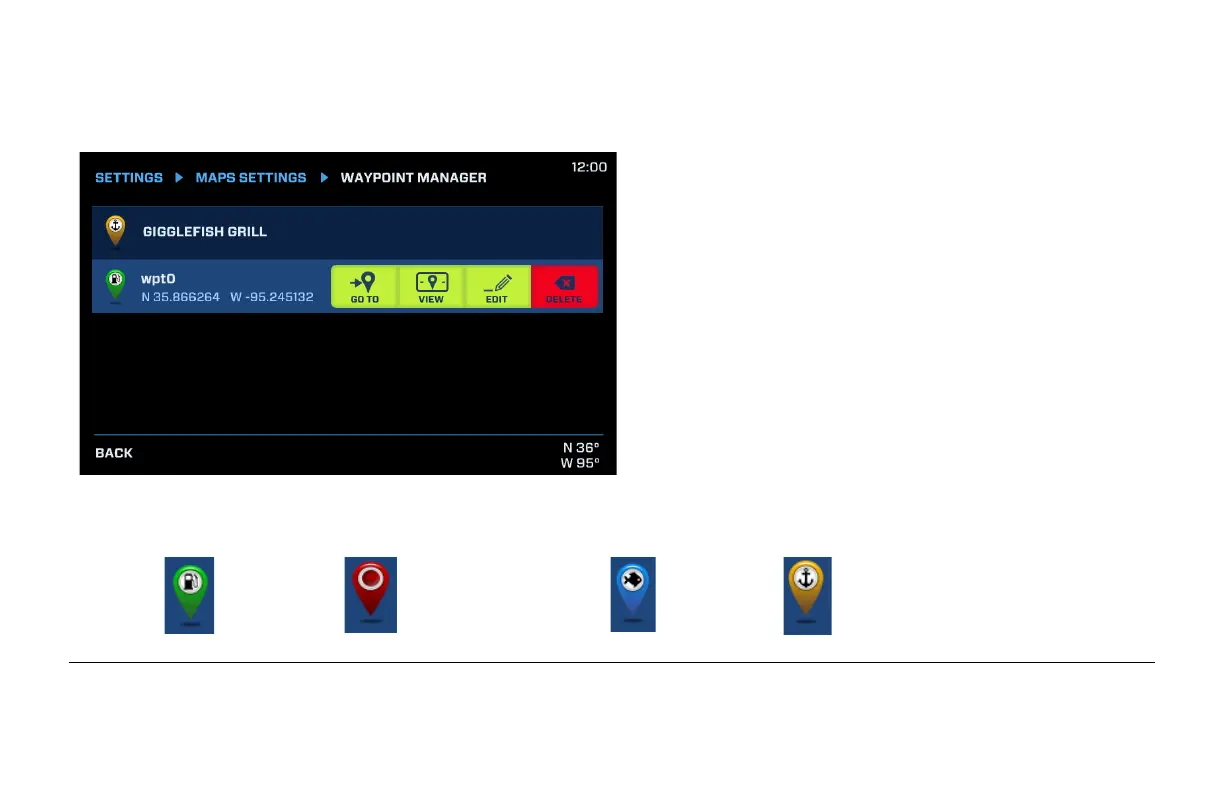
Waypoint Manager allows the editing of existing
Waypoints. Touch the desired Waypoint, and
select one of the following:
• Go To: Touch and select Yes to go to the
current waypoint and be shown the distance and
bearing toward that waypoint.
• View: This option will ask if you want to view
the waypoint on the map. If you select Yes, the
map will display the chosen waypoint highlighted
with the distance and bearing.
• Edit: This option displays the keyboard to
rename the waypoint. Beside the name is a designator icon that has been assigned to this
waypoint. To change the icon, hold your finger on it until the next available icon appears:


 To Next Page