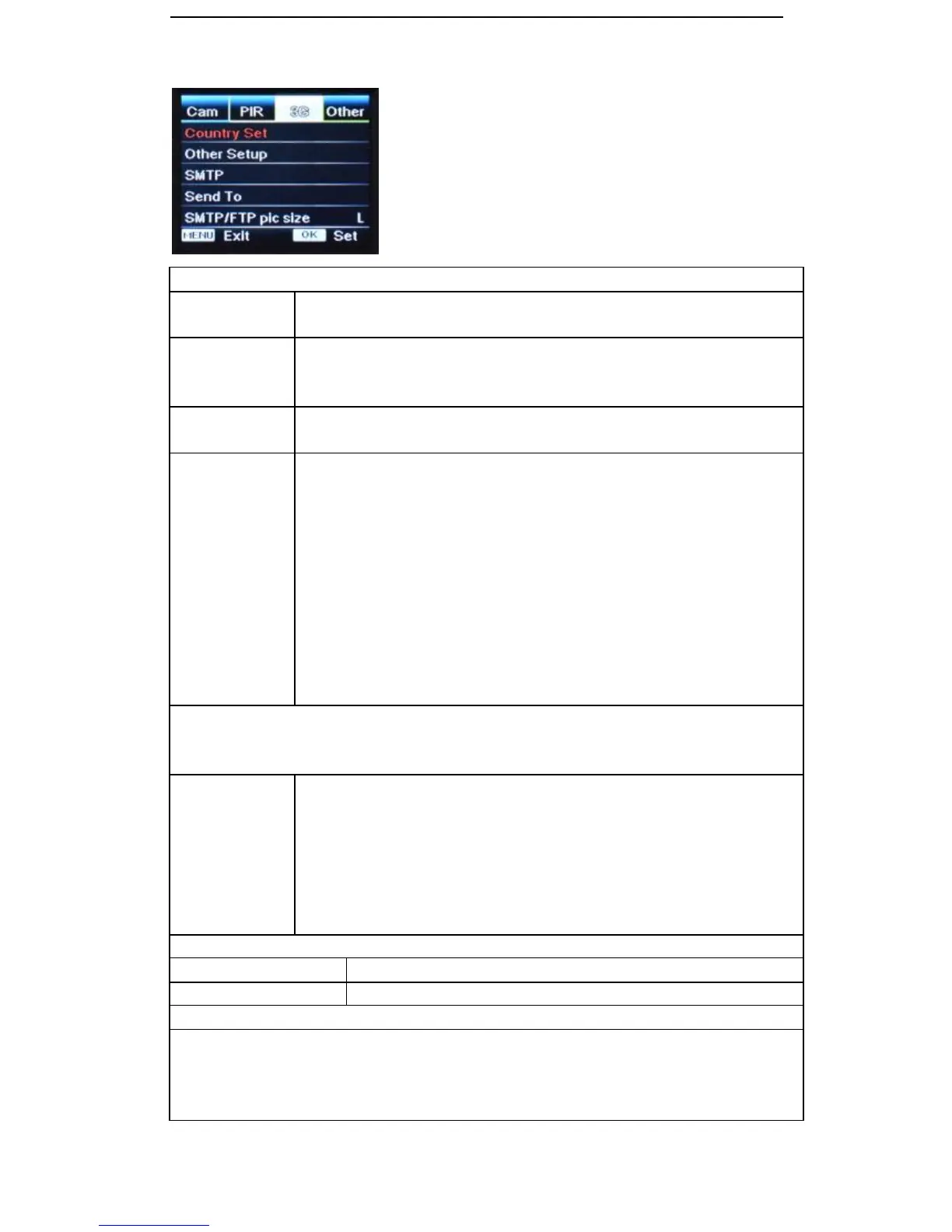
Press “OK”. Use ↓ to find Australia and press “OK”. press “OK” for Telstra and
then press “M” to exit
If you can’t find your local operator from “Country Set” list, contact your
operator for URL/ APN/ IP/ Port (Username & Password if required); and
enter this info manually
“ON” will send MMS to 2 preset mobile phone numbers and emails when SIM
card installed. Enter numbers and emails under “Send To”
If setting up and using SMTP select “ON” and setup as follows
1) Mail Server IP: Press OK and enter your mail server IP using ←, ↑, →,
↓, arrows to navigate, “M” to toggle number/letters/characters, “<” to delete
“^” to save, press “OK to select.
EXAMPLE Hotmail: smtp.live.com
EXAMPLE Gmail: smtp.gmail.com
2) Port: Most mailboxes use port 25. Check with your provider
EXAMPLE Hotmail: Port 25 or 465
EXAMPLE Gmail: Port 25 or 587
3) Mail Account: Your email account name (email address)
4) Mail Password: The password for your email account
Please note that the camera will send a picture to an email address entered in “Send To” via MMS
if SMTP is not setup. If SMTP details are setup and is “ON” then emails only will be sent via SMTP
using data component of your SIM plan.
If setting up and using FTP select “ON” and setup as follows
1) FTP Server IP: Press OK and enter your mail server IP using ←, ↑, →,
↓, arrows to navigate, “M” to toggle number/letters/characters, “<” to delete
“^” to save, press “OK to select.
Port: Most FTP servers use port 21. Check with your provider
2) FTP Account: Your FTP account name
3) FTP Password: Your FTP account password
Enter recipients mobile phone numbers (1~2)
Enter recipients email accounts(1~2)
Pictures sent via SMTP and FTP have optional size as 640*480, or 1920*1440
Pictures sent via SMS are limited to 640*480
Images are all stored at full preset size 5mp, 8mp or 12mp on SD card within camera
Our cameras are pre-set to work on Telstra NextG – 3G –
850MHz – Metropolitan and regional network within Australia,
due to its greater coverage in regional areas.
Please ensure you use a compatible SIM card when using
the MMS/SMTP functions. 850/1900MHz


 To Next Page