40
Once the instrument has been properly installed and the checks in Section 3.1 have been made, the
instrument can be started by providing power to the unit and placing the main supply switch to the
<I> position (ON). A delay of approximately 5 seconds will occur before a reading is displayed on
the door display. This time is required by the instrument for firmware initialization.
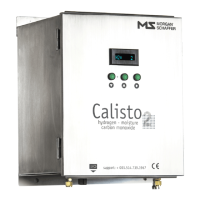
When the Calisto/Calisto 2 is powered on or reset, the unit first enters an initialization and power-
on self-test sequence. The purpose of this mode is to allow the on-board computer to evaluate
temperature conditions and to allow the detection cell and moisture sensor to reach equilibrium with
the surroundings. The duration of the initialization is 3 hours or one complete measuring cycle.
During the entire time of this mode of operation, the door display will indicate <H2= INIT> to
inform the user of this normal condition.
After completing this initialization sequence, the unit will then enter into its normal mode of
detection and measurement, thereby displaying the last validated measurement for hydrogen
<H2=000>. Carbon monoxide (Calisto 2 only) and moisture measurements can also be viewed on
the display using the 3-button display interface. Refer to Section 3.3 for a complete description of
the display interface operation. All readings will then be updated after the next measurement cycle,
and subsequently time-stamped and stored as new validated measurement records in the on-board
databank.
If the instrument temperature is below -35
o
C (-31°F) at start-up, the IED will enter
into a pre-heating mode where only the enclosure heaters will be activated. The
instrument on-board computer will start once the enclosure temperature has
reached -5
o
C (41°F). Reaching the computer start-up temperature could take several
minutes or even hours in extremely cold environments.


 To Next Page