45
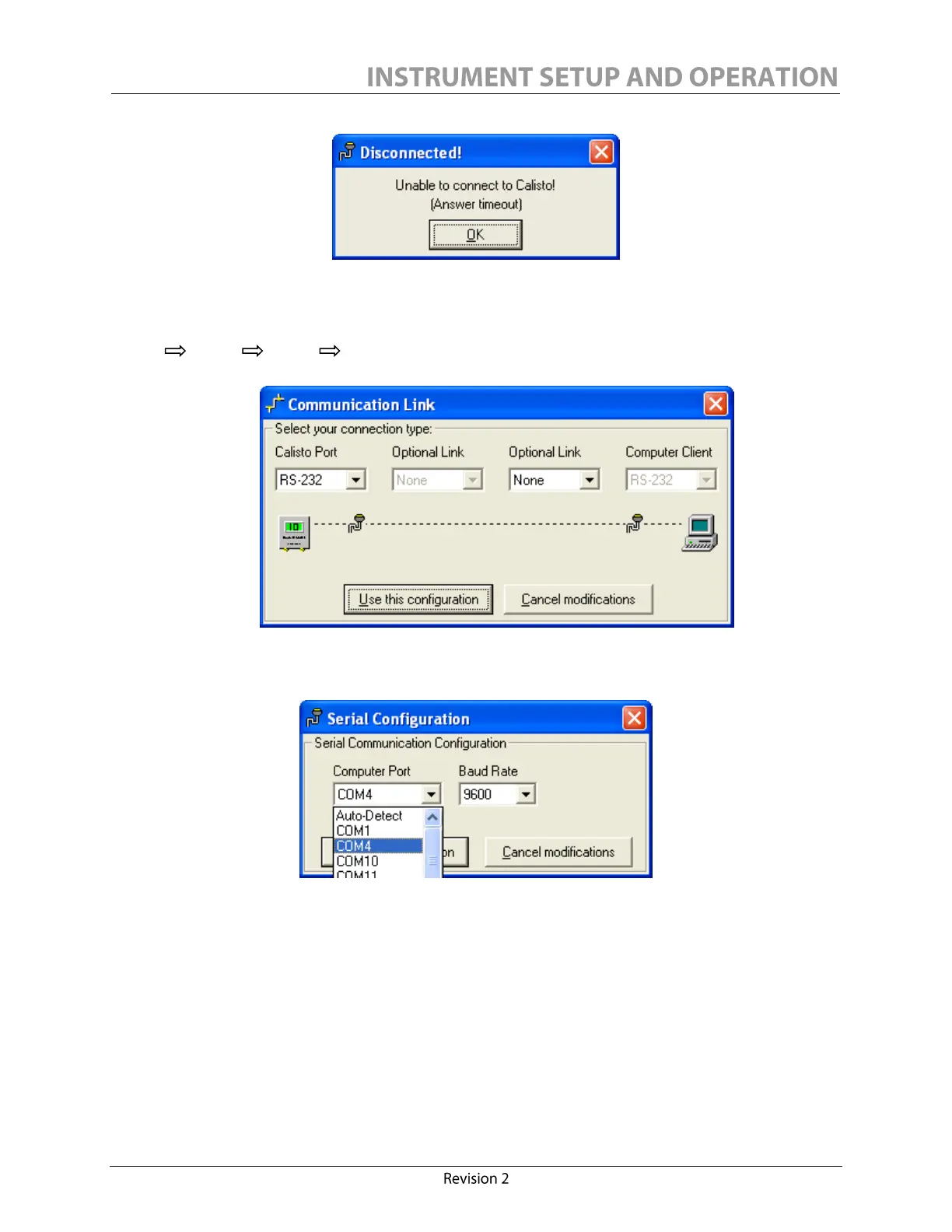
Click OK, check the cable connections at both computer and IED ends and try to initiate
communication manually. To do so, in the Communication/Configuration menu, click Modify.
Be sure that in the Communication Link window the configuration is as follows:
RS232 None None RS232.
Click
Use this configuration.
Select the serial COM port value from the Computer Port combo-
box. It must be the same COM port as the one you selected to communicate with.
To confirm which port is used, see My Computer / Properties / Hardware / Device Manager /
Ports (COM & LPT). The path for accessing Device Manager may differ, depending on your
system. The line representing the Calisto/Calisto 2 is: IAR Virtual COM port, IAR STR912-SK
board.



 To Next Page