User Guide Getting Started
SSE-0000101061-03
Morpho Document - Reproduction and Disclosure Prohibited.
SAM:
Turn the device OFF pressing the “POWER” key until a dialog box appears asking the authorization
to Power Off the device.
Put the device screen down on a flat and clean surface like a white sheet of paper or a soft and
clean tissue.
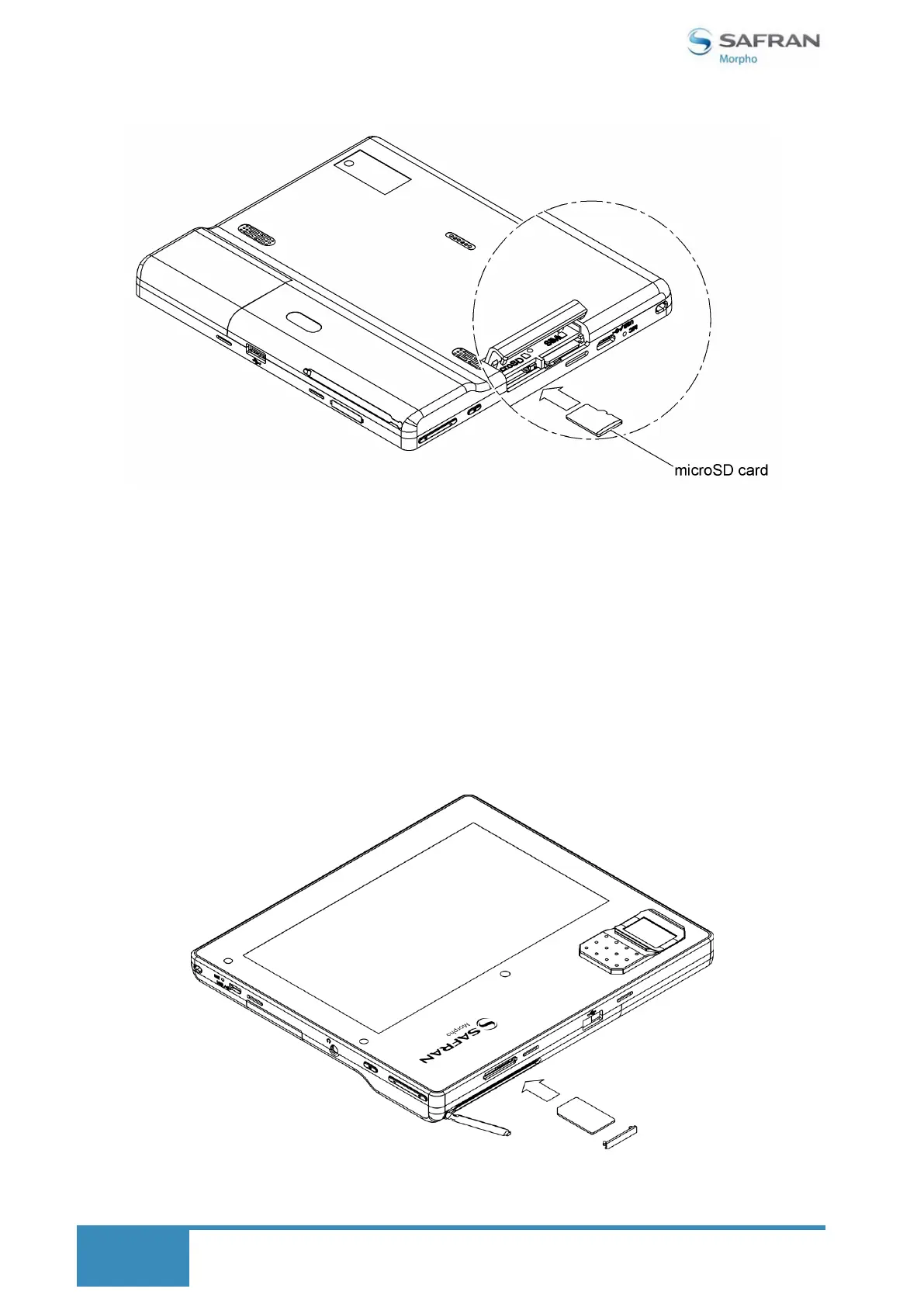
Open the cover for SAM slot at the top of the device.
Introduce the SAM card with the gold contacts facing down as shown on the figure below.
Push the SAM card into the slot until it clicks into the place.
To remove the SAM card, push it gently into the slot. Release your finger when SAM card clicks out
of place.


 To Next Page