Morton
®
Water Softener Installation & Operation Manual 27
The Motorized Water Shutoff Valve (sold separately)
may be used with this Morton
®
Wi-Fi connected water
softener and the iQua™ app to remotely turn off the
home’s water supply. For example, you may want to
t
urn off the water when going away on vacation.
Install the motorized shutoff valve in the plumbing,
upstream of the softener (see page 10), and plug the
cable into the softener’s electronic control board with
the power off (see page 10 and Figure 63).
On the iQua™ app, near the bottom of the softener’s
main dashboard, there is a line labeled “Water
Control” with a button that, when pressed, alternates
between “Water On” and “Water Off”. If you receive
an alert indicating continuous water flow, you can use
this control to remotely shut off the water.
The system default for triggering a continuous water
flow alert is 20 minutes of flow at 0.4 gallons per
minute or higher. The time and water flow trigger val-
ues may also be adjusted in the “Alerts” section.
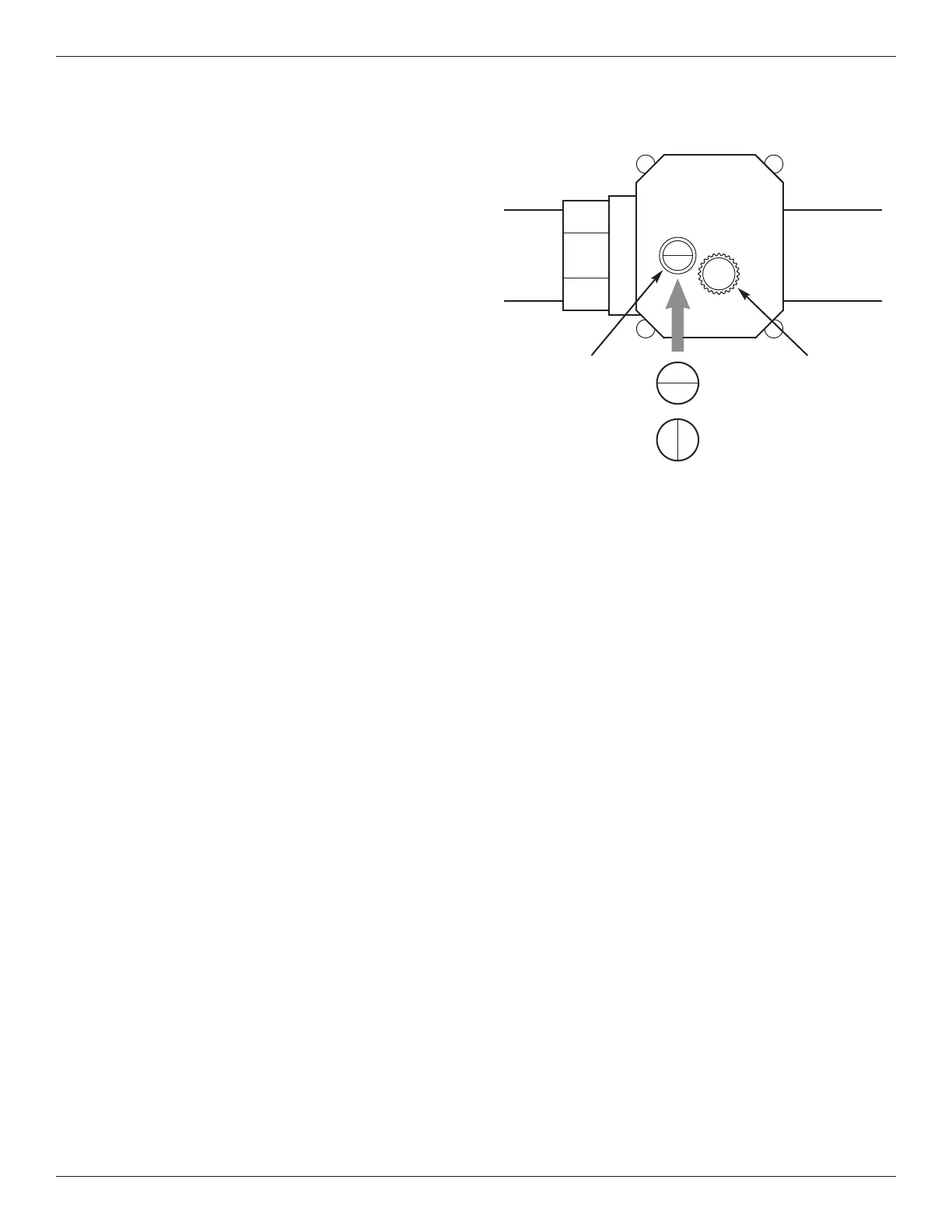
To manually operate the motorized water shutoff
valve, pull out the round knob on the valve and turn it
until the red line in the sight glass matches the
desired (open or closed) position. See Figure 64. If
you manually operate the valve, the app’s “Water
Control” feature will be disabled until you reset it by
clicking “Yes” next to the “Regain Control?” prompt.
Motorized Water Shutoff Valve
Knob -
pull out
to turn
OPEN
CLOSED
Sight
glass
FIG. 64
Optional Motorized Water Shutoff Valve


 To Next Page