11
You cannd all status lights on our
website morvelli.com or use direct
link of QR code.
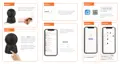
Camera Sounds Description
1. Short welcome melody - the sound of turn on the
camera
2. Three short sounds «Beep Beep Beep»- Successful
reading of the QR code by the camera from the screen
of your mobile device or successful reset of the camera
(after pressing the Reset button for 5 - 10 seconds)



 To Next Page