29
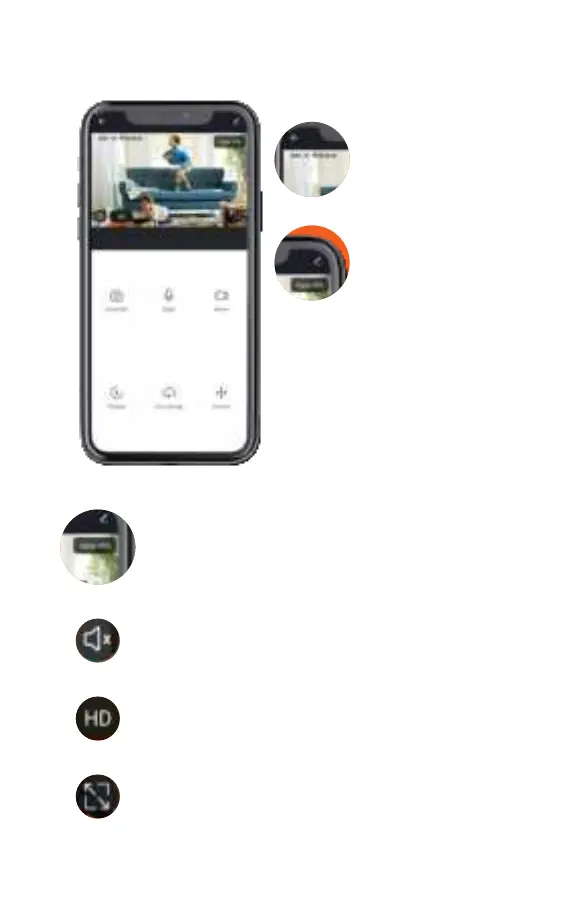
CAMERA MENU
Date and time
Displaying the
current date and
time.
Camera settings
Camera settings
(enable / disable
motion sensor,
tracking sensor,
timers settings,
ipping the
screen, sound
mode settings,
video storage
settings and much
more).
Signal strength
The signal strength between the camera and
Wi-Fi network (router) is recommended to be
at least 50%.
Turn on / off the sound on the camera
Enabling or disabling audio playback from
the camera.
Video quality
You can chose video quality: 1920 x 1080 (HD)
or 1280 x 720 (SD).
Full screen
Flip the screen to the full width of your device
(smartphone or PC).



 To Next Page