12
CONNECTION & INSTALLATION
For a successful connection you need:
1. iPhone or iPad
2. Wi-Fi Camera Morvelli FHD30
3. Wi-Fi router with the internet that works at 2.4 GHz
Recommendations before installation
Before connecting, please make sure of the following:
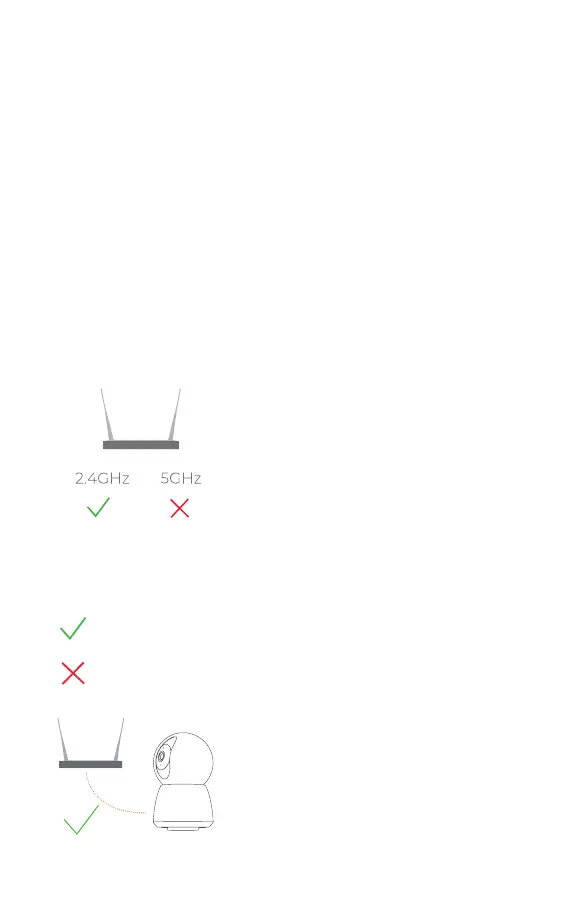
1. Your router operates at a
frequency of 2.4 GHz (routers
operating at a frequency of 5
GHz are not supported). You can
check this information with the
manufacturer of the router.
Note. If the router supports two
frequencies, use a 2.4 GHz network
when connecting.
2. The security method of your Wi-
Fi network must be installed with
the latest version - WPA / WPA2 (if
you have WEP method, we strongly
recommend changing it for your
own safety).
3. For the rst connection, place
the camera as close to the router as
possible (1-6ft). Connect iPhone to
Wi-Fi camera Morvelli FHD30
WPA/WPA2-Personal
(Recommended)
WPA/WPA2-Enterprise
Wep
No Security
1-6 ft



 To Next Page