18
Done!
Your camera is connected to your
Smart Life account!
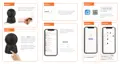
6. After successfully scanning the QR code, the camera
will emit three short beeps.
7. Click «I heard a Prompt». The camera will start to
connect, and when the process reaches 100%, the
connected camera will be displayed on the screen.



 To Next Page