44 Chapter 3 Using your Tablet PC
Removing and replacing the battery
You can remove the battery to check the remaining power, or to replace it with a fully
charged battery.
To remove the battery
1. Ensure that the Tablet PC is plugged in to AC power or turned off.
2. Turn the Tablet PC over so that the back side is up.
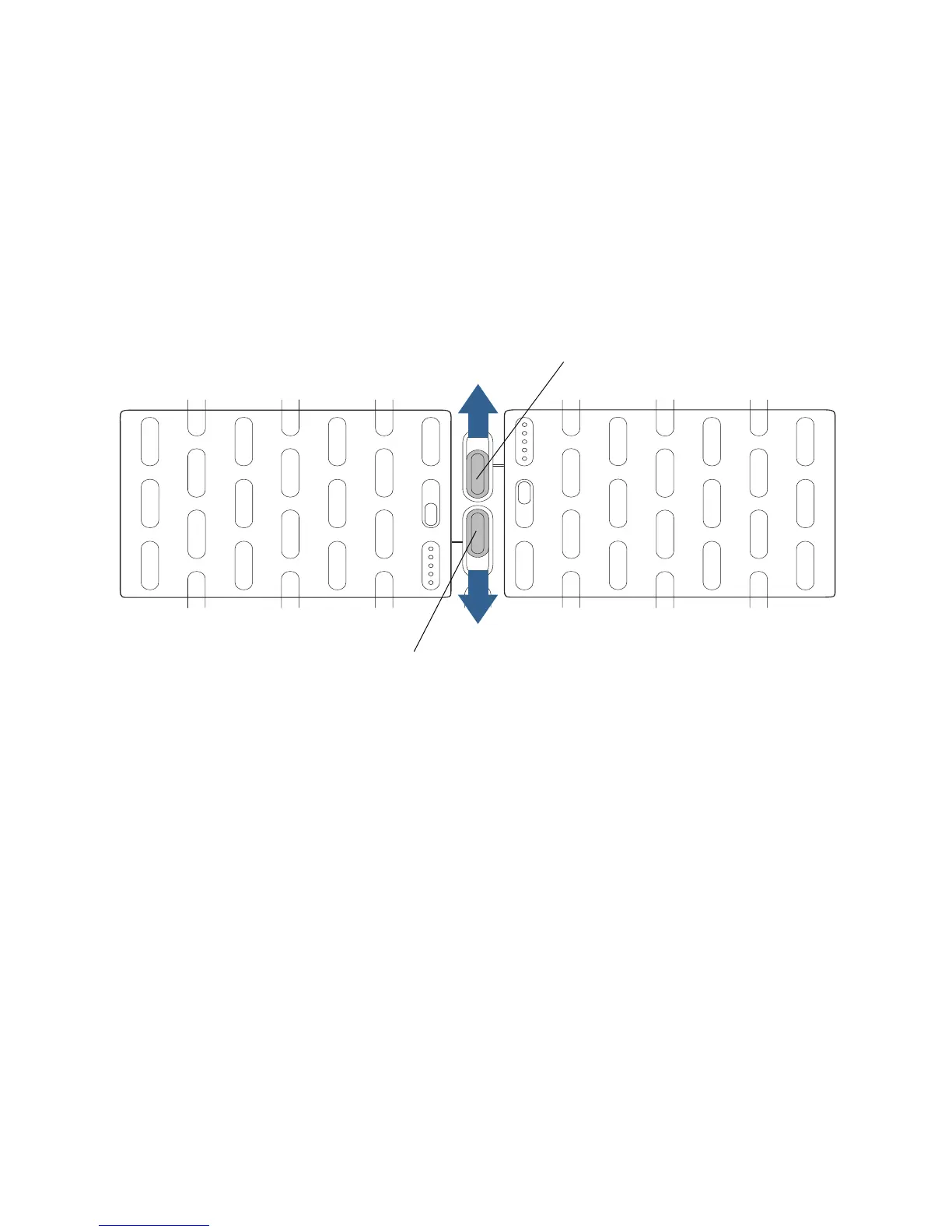
3. For the battery you want to remove, slide the battery release switch until the battery is
partially ejected, and then pull the battery out of the battery bay.
To replace the battery
• For the battery you want to install, place the two tabs of the battery into the two slots in
the battery bay, and then press the other end of the battery into the battery bay until
you hear a click or feel the battery lock into place.
Battery release switch (left battery)
Battery release switch (right battery)



 To Next Page