EasyManua.ls Logo

MotionGrey MotionStride - User Manual

MotionGrey MotionStride
17 pages
Print Icon
To Next Page IconTo Next Page
Loading...
MotionStride - User Manual
01
Please read the User Manual carefully before use
of this product. Keep the manual properly.
CAUTION
Question and Answer IconNeed help?

Do you have a question about the MotionGrey MotionStride and is the answer not in the manual?

Summary

Product Brief

Installation Instruction

Steps to set up the treadmill for first use.

Product Introduction

Packing List

Details the components included in the product packaging.

Attached List

Lists accessories provided with the treadmill.

Technical Parameters

Product Features

Key Product Features Overview

Highlights the main capabilities and design elements of the treadmill.

Operation Instruction

Brief Introduction

Introduces the functions of the electronic watch and its modes.

Parameter Description

Details the speed parameters for different sports modes.

Button Function Description

Explains the functions of the remote control buttons.

Button Function and Operation Instructions

Detailed operation steps for start, stop, and speed adjustment buttons.

Description of Sports Mode

Explains the manual mode function and running instructions.

Sleep Function Description

Describes the automatic sleep mode and how to wake the device.

Error Message Prompt Description

Lists common error codes (E01, E02) and their solutions.

Error Message Prompts E03-E04

Details error codes E03 and E04 related to speed and voltage issues.

Error Message Prompts E05-E07 & Maintenance

Covers error codes E05, E06, E07 and maintenance prompts.

Safety Instructions

General Safety Precautions

Covers placement, power, attire, and child safety.

Safe Operation Guidelines

Exercise Recommendations and Guidelines

Prepare for Exercise

Advice on assessing health, consulting professionals, and familiarizing with controls.

Exercise Routine and Frequency

Guidance on workout distance, speed, duration, frequency, and intensity progression.

Appropriate Wear for Exercise

Guidelines on suitable footwear and clothing for comfortable and safe exercise.

Stretching Exercises

Pre and Post-Workout Stretches

Descriptions of five specific stretching exercises for different muscle groups.

Exercise Safety Measures

Maintenance Guide

Cleaning and Lubrication

Instructions for cleaning and lubricating the treadmill for longevity.

Maintenance Instructions

Running Board Lubrication Procedure

Detailed steps for applying lubricating silicone oil to the running board.

Belt Tension and Alignment

Drive Belt Adjustment

Overview

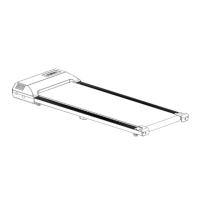
The MotionGrey MotionStride is a compact, ultra-thin walking machine designed for indoor use, offering walking, jogging, and running functions. It is equipped with an industrial-grade motor that provides powerful, low-noise operation, reaching speeds of up to 8.0 km/h. The treadmill features a high-strength, tensile running belt and a high-density, high-elastic double-layer running board with rubber shock-absorbing cushions for a comfortable experience.

Function Description:

The MotionStride treadmill is designed for personal fitness, allowing users to engage in walking, jogging, and running exercises. It operates via a remote control, which is used for starting, stopping, and adjusting speed. The electronic watch display provides real-time feedback on exercise parameters. A unique "unmanned shutdown function" is integrated into the electronic watch, indicating a safety feature. The machine also includes a sleep function, where the display automatically turns off after 10 minutes of inactivity, conserving energy.

Important Technical Specifications:

  • Item Number: A5B mini
  • Operating Voltage: 120V 50/60Hz
  • Maximum Load: 120kg
  • Dimensions:
    • Folded: 1161 * 514 * 118.5mm
    • Expanded: 1161 * 514 * 118.5mm
  • Effective Running Area: 895 * 390mm
  • Net Weight/Gross Weight (N.W/G.W): 22KG/26KG
  • Motor Peak Power: 0.75-2.5HP peak
  • Speed Range: 1.0-8.0 Km/h
  • Display: White LED display
  • Rollers: Front and rear rollers utilize essential oil tubes with a wall thickness of 3.0 and 1.5-degree tapers at both ends, enabling automatic running belt reset.

Usage Features:

The treadmill is designed for ease of use. Upon receiving the new machine, it needs to be adapted to the remote control by pressing and holding the start button on the remote control while turning on the treadmill's power. Switching between "unmanned stop" and "normal mode" is achieved by simultaneously pressing and holding the acceleration and deceleration keys while powering on the treadmill.

The remote control includes keys for:

  • Start: Initiates motor operation in manual mode.
  • Stop: Halts motor operation when the electronic watch is running.
  • Speed +/-: Adjusts speed during operation and parameter values during setting.
  • Program Key
  • Mode Key

In manual mode, the initial running speed is 1.0 KM/H, with time, distance, and calorie windows counting positively from zero. The system automatically shuts down if no one is running for approximately eight seconds.

Safety instructions emphasize proper installation, ensuring adequate clear space around the machine (0.8 meters on both sides, 2 meters length * 1 meter width behind). It requires a power outlet with a safety ground. Users are advised against outdoor use and to avoid placing it on thick carpets that could obstruct air circulation. Loose clothing should be avoided during exercise, and rubber-soled running or gym shoes are recommended. Children should not approach the machine when in use. If the machine accelerates unexpectedly or the electronic system fails to stop, users should immediately unplug the safety lock or jump off and turn off the power. First-time users should hold the handrail until comfortable and gradually increase speed.

Maintenance Features:

Regular maintenance is crucial for prolonging the treadmill's life.

  • Cleaning: The treadmill should be unplugged before cleaning. Regular cleaning of exposed running belt parts reduces debris accumulation. The running belt surface can be wiped with a damp, soapy cloth, being careful to avoid splashing electrical components.
  • Motor and Lubrication: The motor cover should be opened at least once a year to vacuum the motor. The running belt and running board require regular lubrication with silicone oil. The treadmill comes pre-applied with lubricating silicone oil.
    • Lubrication Schedule:
      • Light users (less than 3 hours/week): Every 6 months
      • Moderate users (3-5 hours/week): Every 3 months
      • Heavy users (more than 5 hours/week): Every 1.5 months
    • Checking Lubrication: To check if lubrication is needed, touch the center of the back of the running belt. If your hand feels damp with silicone oil, no lubrication is needed. If it's dry and no silicone oil sticks, it's time to add more.
    • Lubrication Steps: Stop the running belt, fold the machine, lift the running belt from the back, spray silicone oil on the inside, and coat both sides. Run the treadmill at 1km/h and lightly step on the running belt from left to right at the front to evenly spread the oil.
  • Belt Tension Adjustment: The running belt may slacken over time, causing pauses or slippage. To tighten, adjust the bolts synchronously in half-turn clockwise increments. If the belt is too loose, it can damage the motor and belt.
  • Running Belt Alignment: If the running belt skews, adjustments can be made while the treadmill runs at 3.5 km/h. If skewed left, turn the left adjustment bolt 1/2 turn clockwise and the right 1/2 turn counterclockwise. If skewed right, turn the right adjustment bolt 1/2 turn clockwise and the left 1/2 turn counterclockwise.
  • Drive Belt Adjustment: The drive belt is factory-adjusted but may loosen over time. It can be adjusted by turning the adjusting bolt clockwise with a wrench until there is no slip under load. Inclusions in the belt and pulley grooves should be regularly cleaned.
  • Error Messages: The system provides error prompts (E01-E07) for various issues, including communication abnormalities, motor measurement problems, speed detection issues, overvoltage protection, overcurrent protection, low drive power supply voltage, and safety lock not in place. Each error code comes with suggested solutions, such as reconnecting cables, replacing components, or checking connections.
  • Maintenance Prompt: The machine will prompt for maintenance after running for 50 kilometers, indicated by a maintenance icon. After performing maintenance, power on the machine, remove the safety lock, and press and hold the speed button.

MotionGrey MotionStride Specifications

General IconGeneral
BrandMotionGrey
ModelMotionStride
CategoryTreadmill
LanguageEnglish