5.3 Other Editing
5-52
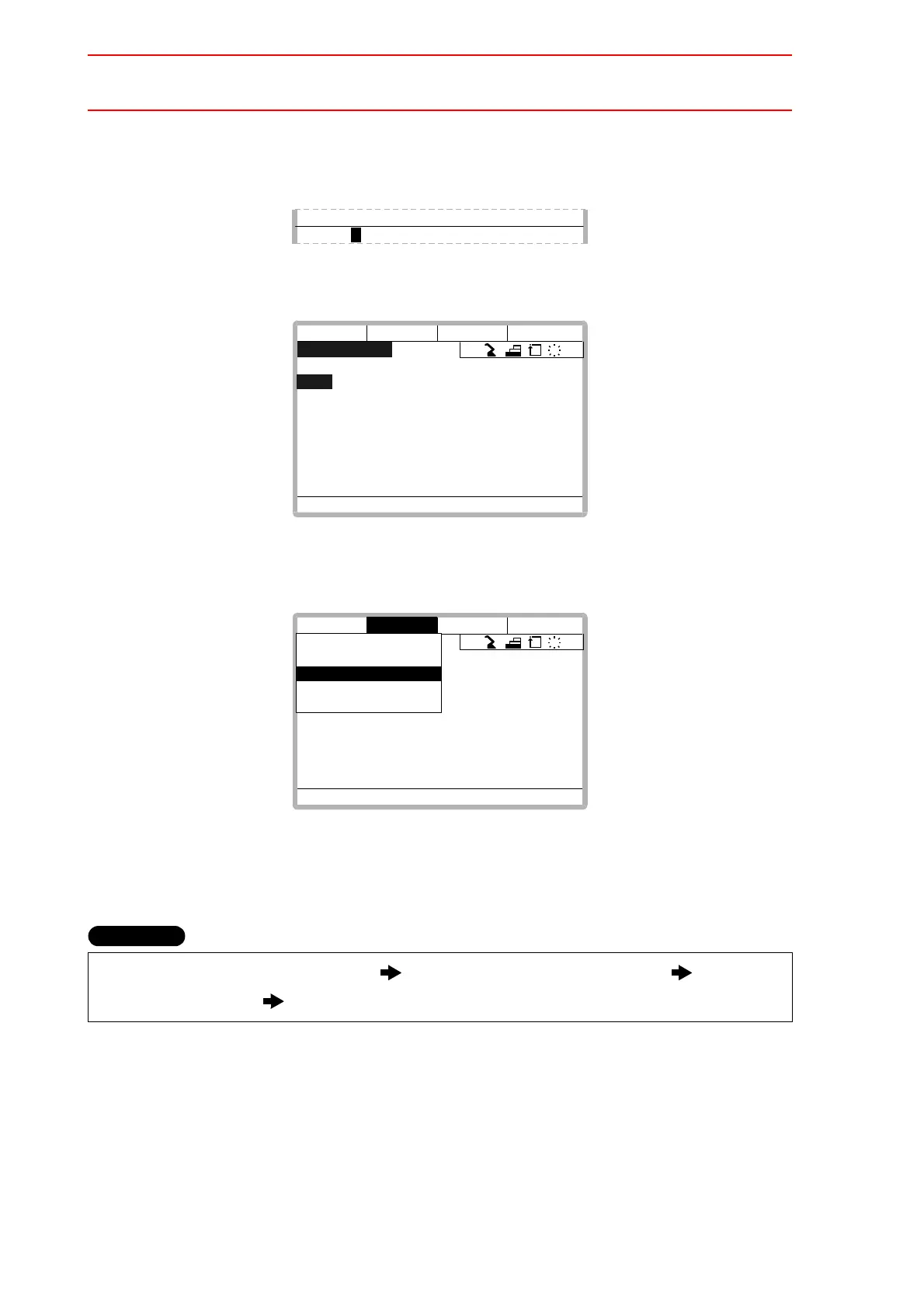
*2
At this time, search can be conducted by only inputting the first character of the label.
For example, to search for the “START” label, by only inputting “S” the search can be
done.
*3
The label is searched out and the cursor is on its line number.
*4
It is possible to continue searching by pressing the cursor key.
To end searching, select {EDIT}
à
{END SEARCH} on the menu and press [SELECT].
n
Instruction Search
This function moves the cursor to a desired instruction.
Select “INSTRUCTION SEARCH”
*1
Select desired instruction group Select
desired instruction
*2
Use the cursor to continue searching
*3
0005 TIMER T=1.00
> START
JOB CONTENT
J:TEST S:081 R1 TOOL:00
0099
*
START
0100 MOVJ VJ=100.00
0101 TIMER T=1.00
0102 MOVL V=138
0103 MOVL V=138
0104 MOVJ VJ=50.00
0105 MOVJ VJ=100.00
0106 DOUT OT#(1) ON
!Turn on servo power
JOB
EDIT DISPLAY UTILITY
R1
S
C
L
JOB CONTENT
J:TEST S:081 R1 TOOL:00
0099
*
START
0100 MOVJ VJ=100.00
0101 TIMER T=1.00
0102 MOVL V=138
0103 MOVL V=138
0104 MOVJ VJ=50.00
0105 MOVJ VJ=100.00
0106 DOUT OT#(1) ON
!Turn on servo power
TOP LINE
END LINE
SEARCH
ENABLE SPEED TAG
ENABLE POS LVL TAG
END SEARCH
JOB
EDIT DISPLAY UTILITY
EDIT
R1
S
C
L
Operation


 To Next Page