9A 9B
ENEN
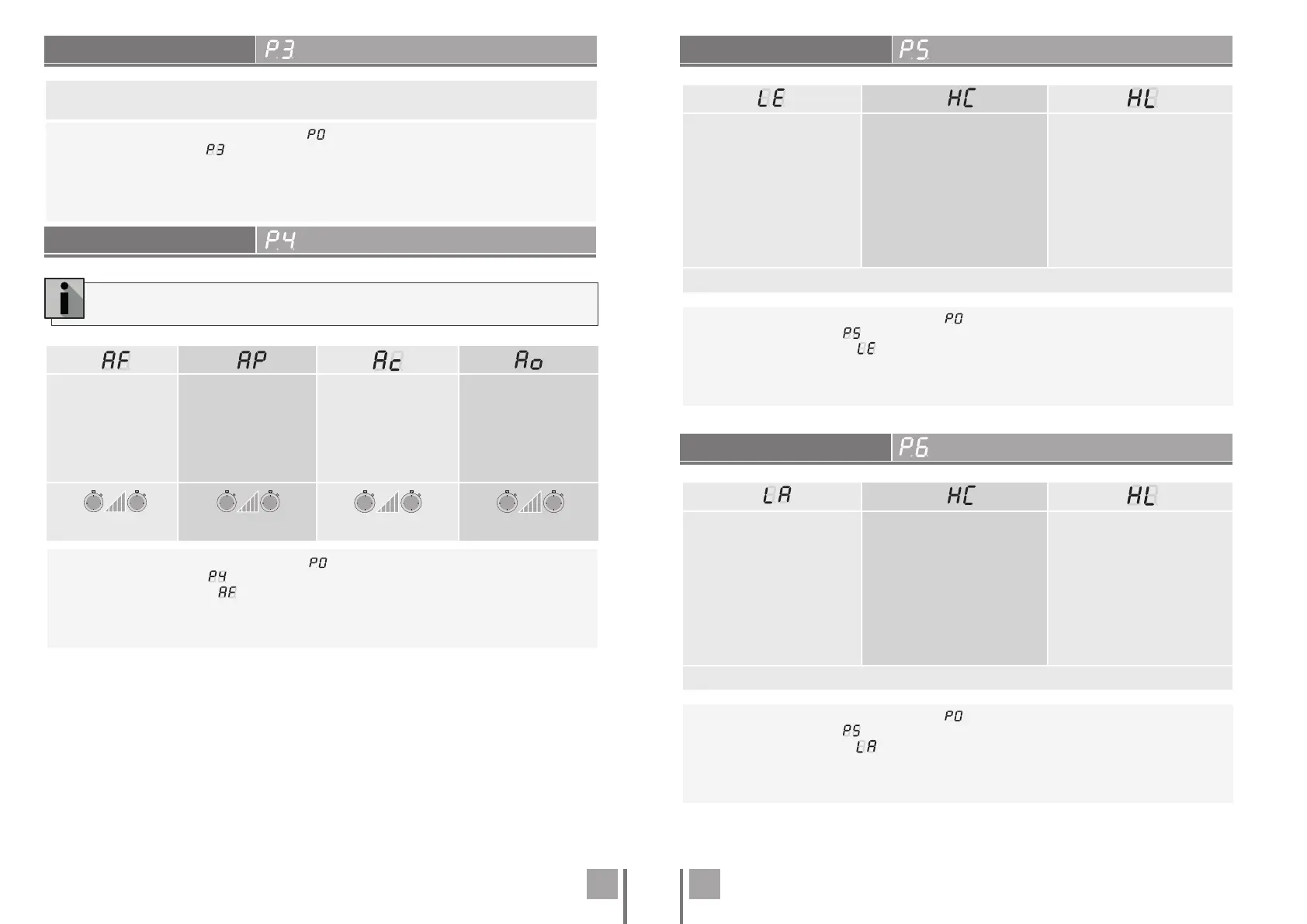
PEDESTRIAN COURSE TIME
PAUSE TIME AND GATES DELAY
PHOTOCELLS PROGRAMMING
PHOTOCELLS PROGRAMMING
Allows you to set the pedestrian course time.
The default value is 10.
01 • Press MENU for 2 sec. until it appears .
02 • Use UP until appears .
03 • Press Menu the value set by the factory will appear.
04 • Press MENU to edit the value.
05 • Use UP and DW to change the value.
06 • Press MENU to save the new value.
Full closing pause time
adjustment
This menu allows
you to set the total
opening pause time.
Pedestrian closing pause
time adjustment
Allows you to set the
pause time at the
pedestrian opening.
Gate delay in closing
Allows you to set the
delay time for closing
leaf 1 relative to leaf 2.
Gate delay in opening
Allows you to set the
delay time for opening
leaf 2 relative to leaf 1.
(Default value 0) (Default value 0) (Default value 2) (Default value 2)
99s
min. max.
0s
99s
min. max.
0s
0s
min. max.
25s
0s
min. max.
25s
When the values are at zero, there is no automatic closing.
01 • Press MENU for 2 sec. until it appears .
02 • Use UP until appears .
03 • Press Menu will appear . Use UP or DW to navigate the parameters.
04 • Press MENU to edit the chosen parameter value.
05 • The factory set time appears. Use UP and DW to change the value.
06 • Press MENU to save the new value.
01 • Press MENU for 2 sec. until it appears .
02 • Use UP until appears .
03 • Press Menu will appear . Use UP or DW to navigate the parameters.
04 • Press MENU to edit the chosen parameter value.
05 • The factory set time appears. Use UP and DW to change the value.
06 • Press MENU to save the new value.
01 • Press MENU for 2 sec. until it appears .
02 • Use UP until appears .
03 • Press Menu will appear . Use UP or DW to navigate the parameters.
04 • Press MENU to edit the chosen parameter value.
05 • The factory set time appears. Use UP and DW to change the value.
06 • Press MENU to save the new value.
00 (deactivate)
01 (active)
Enable or disable security
entry.
00 (photocells in opening)
01 (photocells in closing)
Define if this security will act
on opening or closing.
00 (the movement of the gate is
reversed)
01 (gate movement stops and
resumes 5 sec after security is
disabled)
02 (the movement of the gate
reverses for 2 seconds and stops)
Define the behavior that the gate
will have when this security is
activated.
(Default value 0)
00 (deactivate)
01 (active)
Enable or disable security
entry.
00 (photocells in opening)
01 (photocells in closing)
Define if this security will act
on opening or closing.
00 (the movement of the gate is
reversed)
01 (gate movement stops and
resumes 5 sec after security is
disabled)
02 (the movement of the gate
reverses for 2 seconds and stops)
Define the behavior that the gate
will have when this security is
activated.
(Default value 0)
. PROGRAMMING "P"
. PROGRAMMING "P"
. PROGRAMMING "P"
. PROGRAMMING "P"


 To Next Page
 Loading...