10A 10B
ENEN
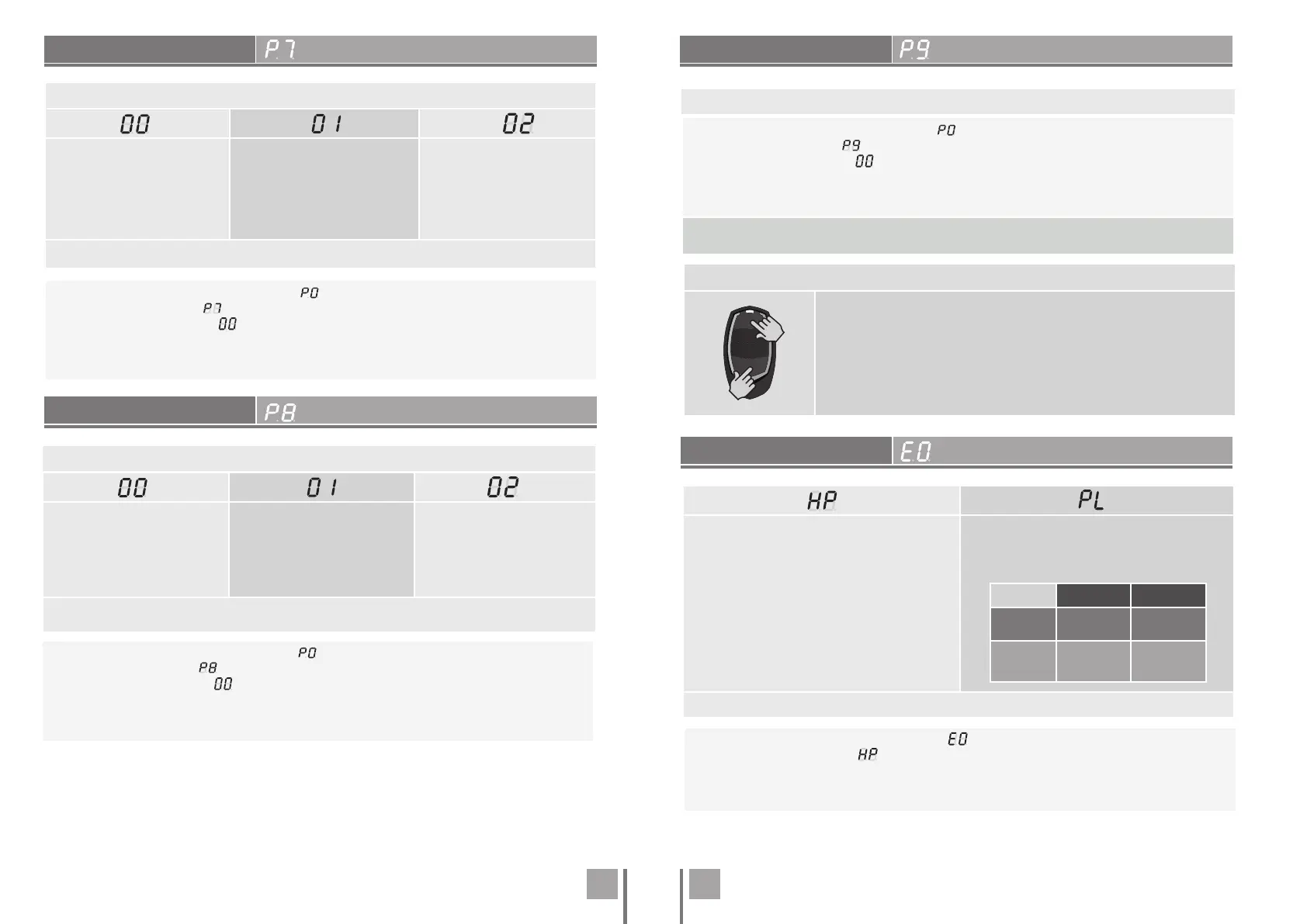
Remote Programming Operation (PGM ON):
• Press the keys indicated in the image simultaneously for 10 seconds
and the flashing light will flash (the 1st free position appears in the
display).
Each time you store 1 command, the control board will exit remote
programming. If you want to memorize more commands, you will
always have to repeat the process of pressing the command keys
simultaneously for 10 seconds for each new command.
REMOTE PROGRAMMING
PRESENT MAN
01 • Press MENU for 2 sec. until it appears .
02 • Use UP until appears .
03 • Press Menu will appear .
04 • Press MENU to edit the value.
05 • Use UP and DW to change the value.
06 • Press MENU to save the new value.
(Default value 00)
This menu allows you to enable/disable remote programming.
00 (deactivate)
01 (active)
Enable or disable present man.
Note • With active present man RF remote con-
trols do not work.
00 (deactivate)
01 (active)
Allows you to activate or deactivate the
pushbutton mode.
(Default value 00)
LS LO
01
ACTIVE
Full opening
Full
closning
00
DEACTIVATE
Pedestrian
maneuvers
Total
maneuvers
01 • Press MENU for 10 sec. until it appears .
02 • Press Menu will appear . Use UP or DW to navigate the parameters.
03 • Press MENU to edit the chosen parameter value.
04 • The factory set time appears. Use UP and DW to change the value.
05 • Press MENU to save the new value.
. PROGRAMMING "E"
. PROGRAMMING "P"
. PROGRAMMING "P"
. PROGRAMMING "P"
OPERATING LOGIC
FLASHING LIGHT
This menu allows to set the operating logic of the automation.
Automatic Mode
Whenever there is an order the
movement is reversed.
Step by step mode
1st impulse - OPEN
2nd impulse - STOP
3rd impulse - CLOSE
4th impulse - STOP
If it is fully open and timed, it closes.
Condominium Mode
Does not respond to orders
during opening and break time.
(Default value 00)
01 • Press MENU for 2 sec. until it appears .
02 • Use UP until appears .
03 • Press Menu will appear .
04 • Press MENU to edit the value.
05 • Use UP and DW to change the value.
06 • Press MENU to save the new value.
01 • Press MENU for 2 sec. until it appears .
02 • Use UP until appears .
03 • Press Menu will appear .
04 • Press MENU to edit the value.
05 • Use UP and DW to change the value.
06 • Press MENU to save the new value.
Flashing
(opening and closing)
During the opening/closing
movement of the gate, the flash-
ing light will work intermittently.
Step by step mode the opening
and closing movement, the
flashing light is permanently
on.
Courtesy light
The light will stay on for the
time set in the E2 menu.
(Default value 00)
This menu allows you to set the operation mode of the flashing light (LAMP).


 To Next Page
 Loading...