11A 11B
ENEN
01 • Press MENU for 10 sec. until it appears .
02 • Use UP until appears .
03 • Press Menu will appear .
04 • Press MENU to edit the value.
05 • Use UP and DW to change the value.
06 • Press MENU to save the new value.
01 • Press MENU for 10 sec. until it appears .
02 • Use UP until appears .
03 • Press Menu will appear .
04 • Press MENU to edit the value.
05 • Use UP and DW to change the value.
06 • Press MENU to save the new value.
01 • Press MENU for 10 sec. until it appears .
02 • Use UP until appears .
03 • Press Menu will appear .
04 • Press MENU to edit the value.
05 • Use UP and DW to change the value.
06 • Press MENU to save the new value.
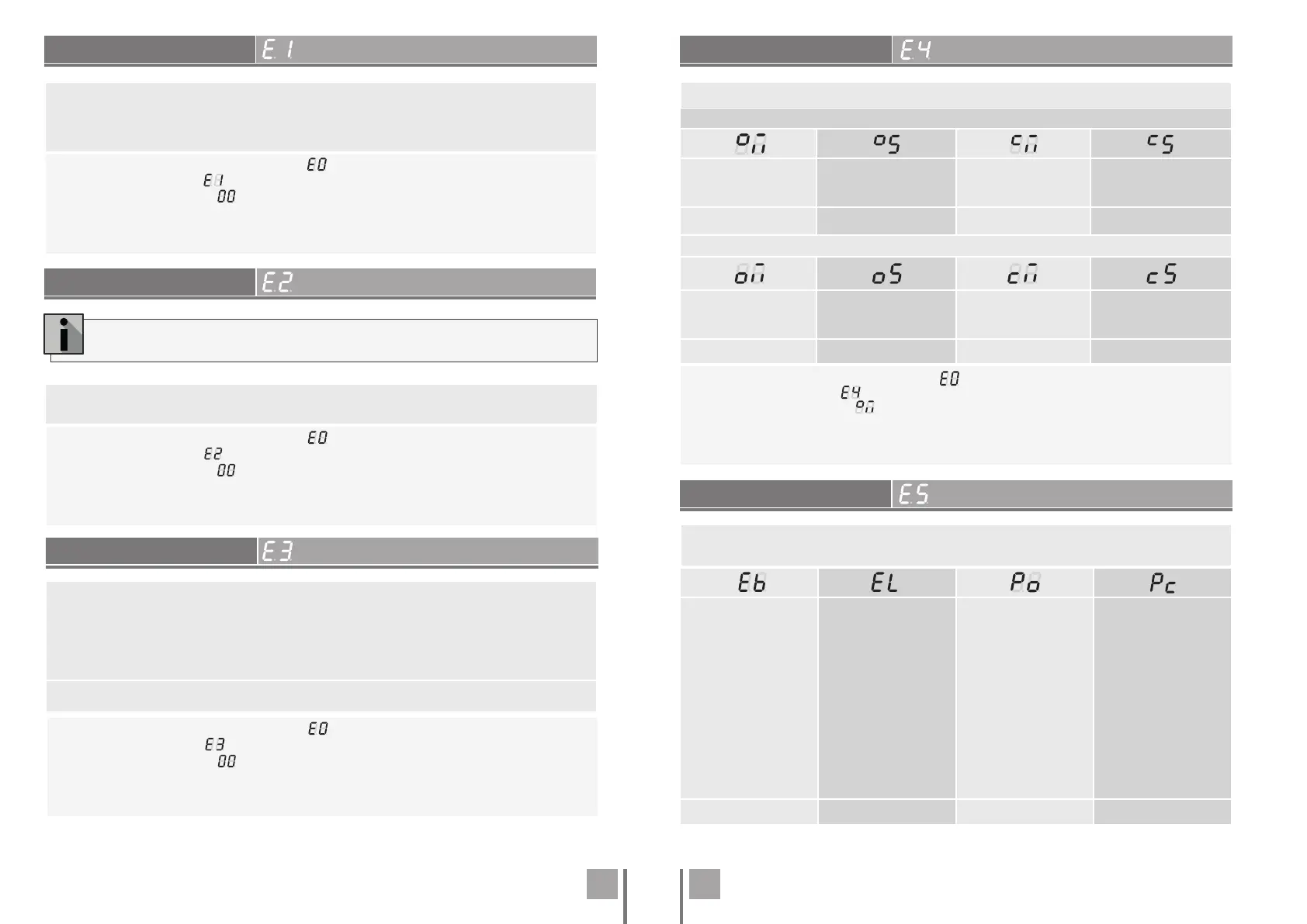
SOFT START
COURSE TIME ADJUSTMENT
Enables or disables the soft start. With the soft start function activated, at each start of move-
ment the control board will control the motor start, increasing the speed gradually in the first
second of operation.
The default value is 0 (deactivated).
This menu allows you to adjust the courtesy light time for all positions of the gate (closed,
opened and stopped). The default value is 0 (Courtesy light deactivated)
COURTESY LIGHT TIME
BRAKE/LOCK/PUSH
FOLLOW ME
This parameter is only activated if option 2 is selected in P8.
Allows you to activate the Follow me option. With this option activated, the control board, when
in the open position or in opening, gives a closing order of 5 sec. after the safety device detects
the passage of an object / user.
00 function disabled
01 function activated after opening
02 function activated on opening
(Default value 00)
Leaf 1
Opening courses time
(minutes)
Opening courses time
(seconds)
Closing courses time
(minutes)
Closing courses time
(seconds)
(Default value 0) (Default value 15) (Default value 0) (Default value 15)
Leaf 2
Opening courses time
(minutes)
Opening courses time
(seconds)
Closing courses time
(minutes)
Closing courses time
(seconds)
(Default value 0) (Default value 15) (Default value 0) (Default value15)
It allows to adjust the working time for the opening and closing courses of the two leafs.
01 • Press MENU for 10 sec. until it appears .
02 • Use UP until appears .
03 • Press Menu will appear . Use UP or DW to navigate the parameters.
04 • Press MENU to edit the chosen parameter value.
05 • The factory set time appears. Use UP and DW to change the value.
06 • Press MENU to save the new value.
00 (disables electronic
brake)
01 (activates electronic
brake)
Allows you to activate the
electronic brake.
00 (active lock on
opening 2 sec.)
01 (activates lock
whenever in motion)
Allows you to select the
lock's operating mode.
The default value is
0 (2 second pulse on
opening).
Note: If you select option
2, you must take into
account the maximum
current value provided by
the control board.
00 (disable opening push)
01 (active opening push)
Allows you to activate the
opening push (ram).
00 (disables closing push)
01 (active closing push)
Allows you to activate the
closing stroke.
(Default value 0) (Default value 0) (Default value 0) (Default value 0)
It allows to activate or deactivate the functions of the electronic brake, the lock's
operating mode and to activate or deactivate pushes on opening and closing.
. PROGRAMMING "E"
. PROGRAMMING "E"
. PROGRAMMING "E"
. PROGRAMMING "E"
. PROGRAMMING "E"


 To Next Page
 Loading...