
 To Next Page

B
brandoncollinsAug 15, 2025
What programming software do I need for Motorola Radio?
- EerodriguezAug 15, 2025
To program the software, which is available only on CD, use the Customer Programming Software (Windows Version) - RVN-4183.

What programming software do I need for Motorola Radio?
To program the software, which is available only on CD, use the Customer Programming Software (Windows Version) - RVN-4183.
What Radio Service Software (DOS Version) do I need for Motorola ASTRO SPECTRA Radio?
To use the software available on 3-1/2 in. and 5-1/4 in. floppy disks, use the Radio Service Software (DOS Version) - RVN-4184.
How to enable communication between Motorola Radio and RSS?
To enable communications between the Motorola Radio and the RSS, use the Radio Interface Box (RIB) - RLN-4008.
What cable do I need to connect my computer to the Motorola ASTRO SPECTRA SRIB?
To connect the computer’s serial communications adapter to the SRIB, use the Computer Interface Cable - 30-80390B48 or 30-80390B49 (9-pin to 9-pin or 25-pin to 9-pin).
What to do if Motorola ASTRO SPECTRA SRIB needs backup power?
To supply backup power to the SRIB, use the Battery Pack - RLN-4488.
Which cable connects low and mid power Motorola radios to the RIB?
To connect low-power and mid-power Motorola radios to the RIB, use the Radio Interface Cable - 30-80369B73 or 01-80300B10.
What power supply should I use for the Motorola ASTRO SPECTRA RIB (120 Vac)?
To supply power to the RIB (120 Vac), use the Wall-Mounted Power Supply - 01-80357A57.
What adapter do I need to power the Motorola ASTRO SPECTRA Radio SRIB (120 Vac)?
To supply power to the SRIB (120 Vac), use the Adapter - 01-80302E27.
What power supply unit should I use for the Motorola ASTRO SPECTRA Radio RIB (220 Vac)?
To supply power to the RIB (220 Vac), use the Wall-Mounted Power Supply - 01-80358A56.
What adapter do I need to supply power to the Motorola ASTRO SPECTRA SRIB (220 Vac)?
To supply power to the SRIB (220 Vac), use the Adapter - 25-80373E86.
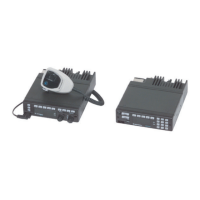
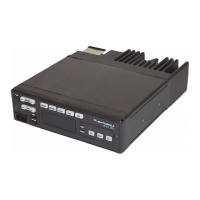
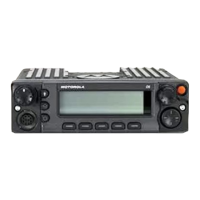
Overview of the consolette, its design, and the manual's structure.
Details on available hardware, software, and encryption options for the consolette.
Guidance on planning the installation for optimal performance and access.
Specifies ventilation needs to prevent overheating and ensure reliable operation.
Instructions for desktop and wall mounting the consolette, including screw details.
Information on connecting the coaxial antenna cable to the N-type connector.
Guidelines for AC power input and proper grounding to prevent hazards.
Information on connecting DC input power as an option for the consolette.
Explains the use of DIP switches and jumpers for operating configurations.
Details DIP switch and jumper settings for the Audio Interface Board.
Details DIP switch and jumper settings for the Tone Remote Control board.
Instructions for setting the time, month, day, and year on the clock/VU meter.
Explains the overall operation and building blocks of the consolette.
Describes the function and detailed operation of the Audio Interface Board.
Explains the function and operation of the Tone Remote Control board.
Covers alignment, codeplug, and FLASHport programming methods.
Outlines maintenance schedules and lists necessary test equipment.
Provides detailed instructions for removing and replacing main components.
Lists pin configurations for standard cables like power, RF coaxial, and speaker.
Lists pin configurations for optional cables like the Clock/VU cable.
Lists available troubleshooting charts for various issues and their page numbers.
Lists available schematics, board diagrams, and parts lists with page numbers.
Flowcharts for diagnosing consolette not working and power problems.
Flowcharts for TRC local TX, RX audio, DC voltage, and trunking tones.
Flowcharts for AIB TX audio, RX audio, and DC power troubleshooting.
Explains the purpose and detailed steps for cross patch operation between consolettes.
Guidelines for ordering parts, online access, mail orders, and contact information.
 General
| Frequency Range | 136-174 MHz, 403-470 MHz |
|---|---|
| Number of Channels | Up to 255 |
| Channel Spacing | 12.5 kHz, 20 kHz, 25 kHz |
| Modulation | FM |
| Operating Temperature | -22°F to +140°F (-30°C to +60°C) |