7Let’s Go
• Music: When you're playing songs in
Play Music, a music player appears
on the unlock screen.
• People: The new People app makes
it easier to group your friends and
associates. Your contact information is
stored in a new Me profile.
• Browser: In Browser, you can touch
Menu to select Request desktop
site or choose from expanded
Settings.
• Voice commands: Voice commands
are easy to use—find out more in
“Accessibility” on page 61.
• Settings: Settings are regrouped, and
you can quickly see how much data you
are using: touch Apps > Settings >
Data usage.
Let’s Go
let’s get you up and running
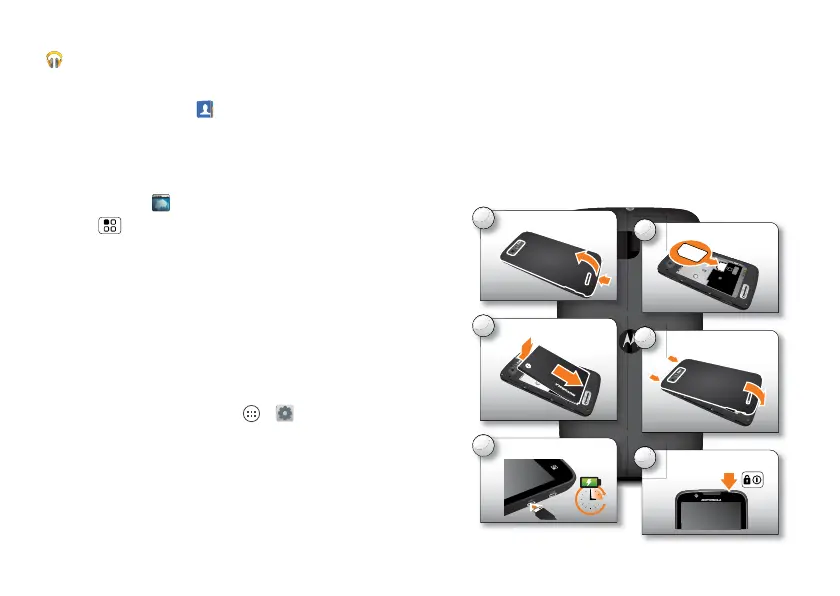
Assemble & Charge
Caution: Please read “Battery Use &
Safety” on page 68.
1
Cover off.
HD 1080p
2
HD 1080p
SIM in.
HD 1080p
3
Battery in.
4
Cover on.
HD 1080p
5
Charge up.
3H
6
Power up.



 To Next Page
 Loading...






