
 Need help?
Do you have a question about the Motorola DCH6416 and is the answer not in the manual?
 General
| Brand | Motorola |
|---|---|
| Model | DCH6416 |
| Category | Set-top boxes |
| Language | English |
Guidelines for safely transporting the DCH6416 cable terminal to prevent damage.
Information on the DCH6416's compliance with FCC rules for digital devices and potential interference mitigation.
Instructions and guidance on how to properly recycle Motorola products and electronic waste.
Details on restricted rights for government use of the DCH6416 product and documentation.
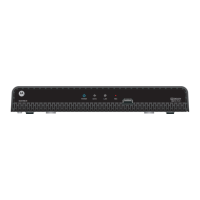
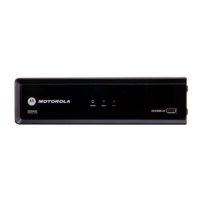
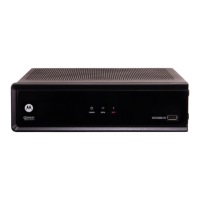
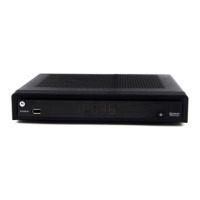
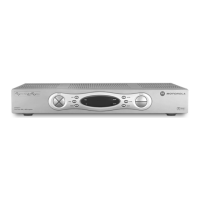
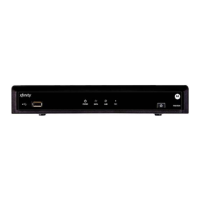
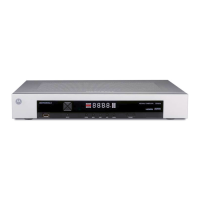
Description of the DCH6416 front panel controls, connectors, and indicators.
Description of the DCH6416 rear panel connectors and their functions.
How to turn the DCH6416 receiver on, off, or put it into standby mode.
Methods for changing channels on the DCH6416 receiver using the front panel or remote.
How to adjust the audio volume on the DCH6416 receiver and use the mute function.
Information on using the DCH6416's Interactive Program Guide for TV listings and features.
How to use the front panel format button to change video output formats on the DCH6416.
Explanation of the front panel indicators that show the DCH6416's current video output format.
Importance and function of the M-Card for accessing cable TV, DVR, and on-demand programs.
Explanation of DVR technology and how the DCH6416 receiver provides recording and playback capabilities.
Illustrates video connection options for the DCH6416, including Component, HDMI, and IEEE 1394.
Illustrates audio connection options for the DCH6416, including L/R, Optical S/PDIF, and Coaxial S/PDIF.
Step-by-step instructions for configuring DCH6416 HD output settings via the on-screen menu.
Detailed explanations of the User Settings menu options for the DCH6416 receiver.
Overview of available video connection types for the DCH6416 receiver and compatible devices.
Details on using HDMI or IEEE-1394 for high-quality HD and SD video and audio connections.
Instructions for connecting the DCH6416 using Component video (YPbPr) for HDTV and SDTV.
Guidance on using S-Video connections for Standard-Definition TV (SDTV) if component video is unavailable.
Instructions for using composite video connections for SDTV when S-Video is not an option.
Information on using the RF Output for SDTV video and audio connections to a TV.
Diagram illustrating video-only connections for the DCH6416 receiver to an HDTV.
Details on connecting the DCH6416 receiver for video to an HDTV using various cable types.
Instructions for connecting the DCH6416 receiver for audio to an HDTV using different audio cables.
Notes on HDTV audio connections, specifying when they are required and how to connect them.
Guide to connecting the DCH6416 receiver for audio to an A/V receiver using various audio output options.
Instructions for connecting the DCH6416 receiver for video and audio to a Stereo TV (SDTV).
Steps to connect the DCH6416 receiver to a Stereo TV (SDTV) and a Stereo VCR simultaneously.
Diagram for connecting the DCH6416 to an A/V Receiver, Stereo TV, and Stereo VCR.
Detailed instructions for connecting the DCH6416 to an A/V receiver, TV, and VCR.
Information on connecting external data devices like hard drives and USB devices to the DCH6416.
Overview of advanced data services like internet access and e-commerce offered by the DCH6416.
Troubleshooting steps for when the DCH6416 receiver fails to power on.
Solutions for common issues where the DCH6416 remote control is not functioning correctly.
Steps to resolve audio problems when viewing cable channels on the DCH6416.
Troubleshooting audio issues with center and surround speakers when using a home theater receiver.
Steps to diagnose and fix issues where no video is displayed on the TV from the DCH6416.
Solutions for when on-screen graphics or program guides are not displayed by the DCH6416.
Troubleshooting steps to enable and display closed captions on the DCH6416 receiver.
Explanation and solutions for black bars appearing on the sides of the TV picture from the DCH6416.
Solutions for black bars appearing above and below the TV picture from the DCH6416.
Diagnosing and resolving black bars appearing on all four sides of the TV picture from the DCH6416.
Steps to correct color display issues on the TV when connected to the DCH6416 receiver.
Explanation of normal operating noises from the DCH6416 receiver, including fan and hard drive sounds.




 To Next Page

