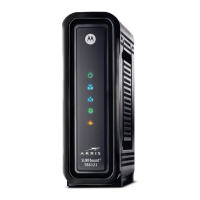
Quick Reference Guide: Motorola SB6121
Technical Operations Academy Page 3 of 5
Front Panel Display
The front panel LEDs should be used during installation, configuration, and troubleshooting. Use
them as a visual reference for how and what the modem is performing.
Key Light Off Flashing On
1
POWER Power is
disconnected
This light should not flash Green: Power is properly
connected
2
RECEIVE Receive channel not
found
Scanning for a receive
(downstream) channel
Green: Downstream
channel is connected
Blue: Downstream channel
is connected with bonded
channels
3
SEND Send channel not
found
Scanning for a send
(upstream) channel
Green: Upstream channel
is connected
Blue: Upstream channel is
connected with bonded
channels
4
ONLINE Internet connection
failed
Scanning for configuration
parameters
Connected to the Internet
5
LINK No connection to the
SB6121 Ethernet
port is detected
Transmitting or receiving
data on the Ethernet port
Amber: A device,
computer, or hub is
connected via the Ethernet
(10Base-T) or Fast
Ethernet (100Base-T) port
Blue: High-speed Gigabit
Ethernet connection to the
PC
6
Power Powers on and off the cable modem
During normal operation, the POWER, RECEIVE, SEND, and ONLINE lights are ON. The LINK
light flashes when the cable modem is transferring data.



 To Next Page
 Loading...