B
2
Product Overview
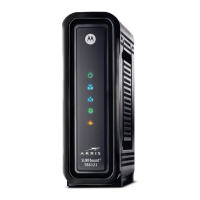
Front Panel
ICON If the icon is… Then the device is…
1
Steady Green and visible Properly connected and ready
2
Green /*Blue and flashing
Green /*Blue and not flashing
In the registration process
Locked onto either single (green) or multiple
bonded (blue) channel
3
Green /*Blue and flashing
Green /*Blue and not flashing
Scanning for an upstream (send) channel
connection
Connected with a non-bonded upstream channel
4
Green and flashing
Green and not flashing
Scanning for a connection
Finished scanning
5
Green and flashing
Amber and flashing
Actively scanning (show network traffic)
Successfully paired when the icon is Green
WPS pairing in progress
6
WPS
No icon or LED The Wireless icon (see #5) is amber and flashes
during the pairing process
*Indicates a bonded channel High speed connection (non Gigabit speed). Contact your
service provider to learn if the feature is available.
Product Overview •
Motorola SURFboard • User Guide 3



 To Next Page
 Loading...