B
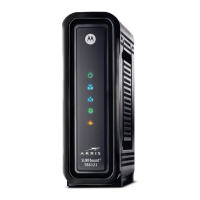
Front Panel Icons and Error Conditions
The SBG6580 front panel icons provide status information for the following error
conditions:
ICON STATUS IF, DURING STARTUP: IF, DURING NORMAL OPERATION:
OFF SBG6580 is not properly
plugged into the power outlet
The SBG6580 is unplugged
FLASHING Downstream receive channel
cannot be acquired
The downstream channel is lost
FLASHING Upstream send channel cannot
be acquired
The upstream channel is lost
FLASHING IP registration is unsuccessful The IP registration is lost
51BTroubleshooting •
Motorola SURFboard • User Guide 20



 To Next Page
 Loading...