P a g e | 11
User Guidelines – Flosense VNC 09-10-2020 Version 001
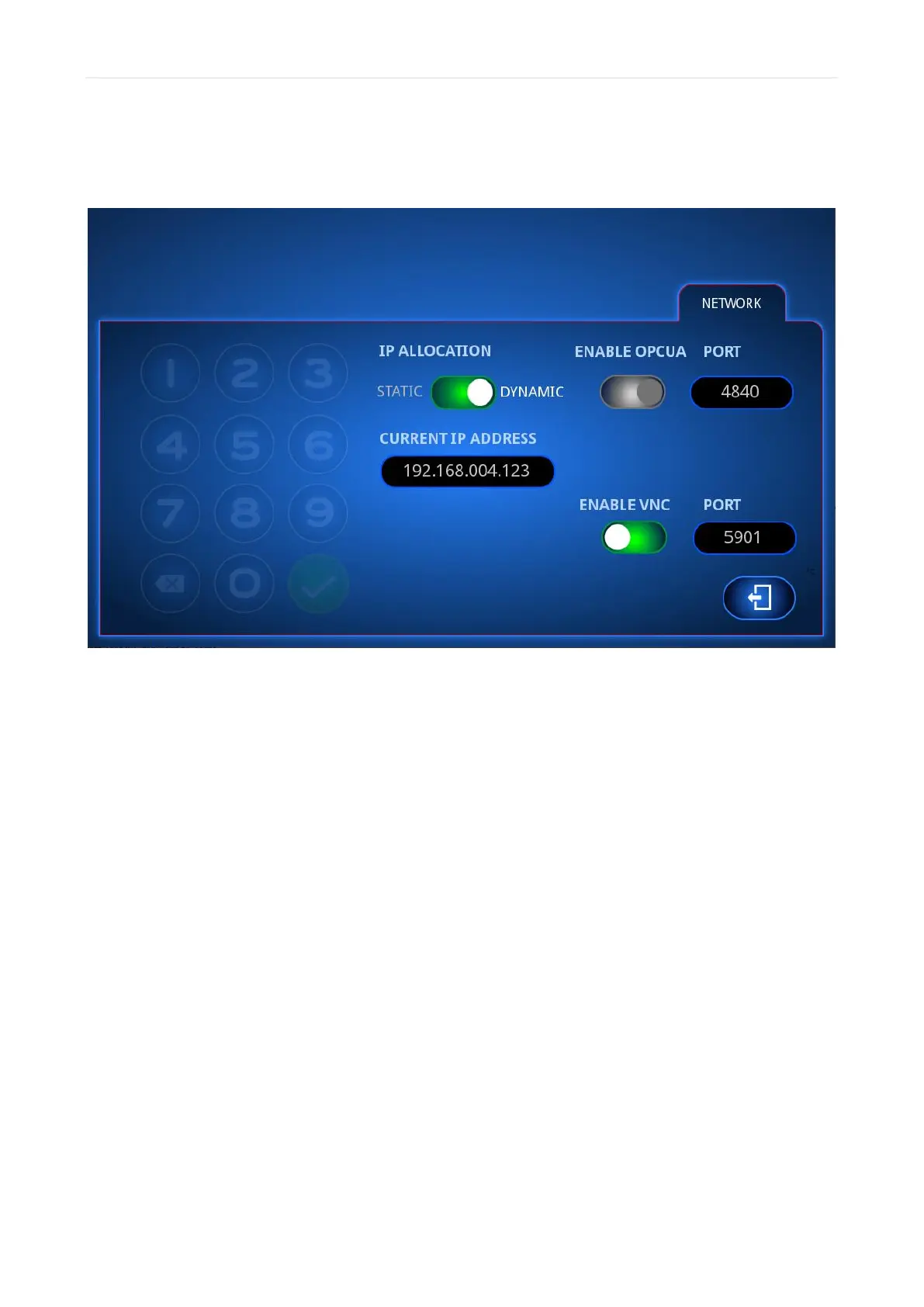
Next, you need to toggle the IP allocation settings to DYNAMIC and enable VNC as seen
below. You do not need to enter anything in the CURRENT IP ADDRESS field.
After setting up the display, exit the Network menu and enter it again. It should now show
an IP address in the CURRENT IP ADDRESS field. This is the IP address the router has
allocated to your Flosense display.



 To Next Page