P a g e | 6
User Guidelines – Flosense VNC 09-10-2020 Version 001
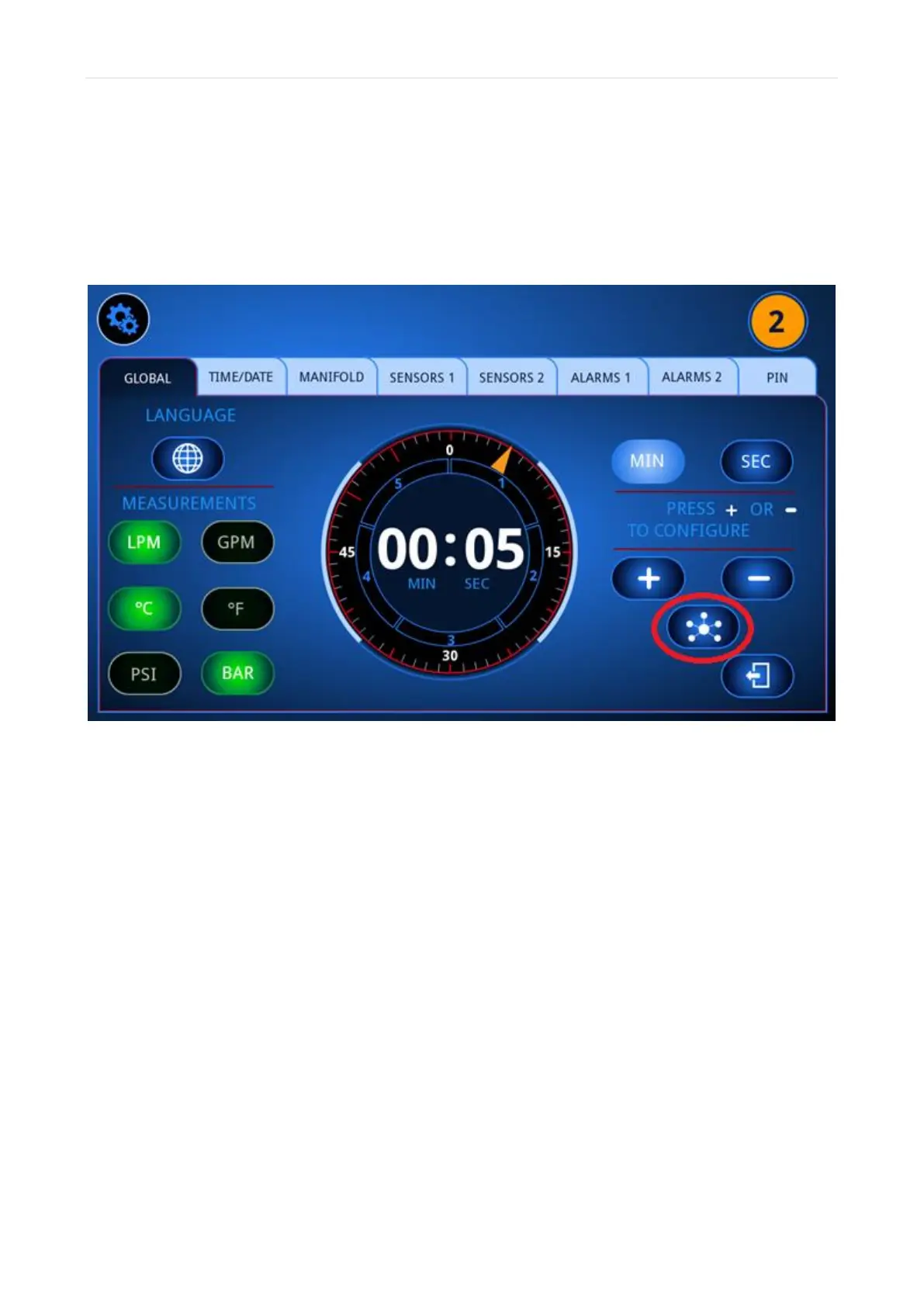
3) Define the IP-address and Subnet mask on the Flosense display
To define the IP-address and Subnet mask, you need to find the Network settings on the
Flosense display. These settings can be found in the global settings menu, seen below
marked with a red circle.



 To Next Page