P a g e | 10
User Guidelines – Flosense VNC 09-10-2020 Version 001
2) Setup dynamic IP allocation on the Flosense display
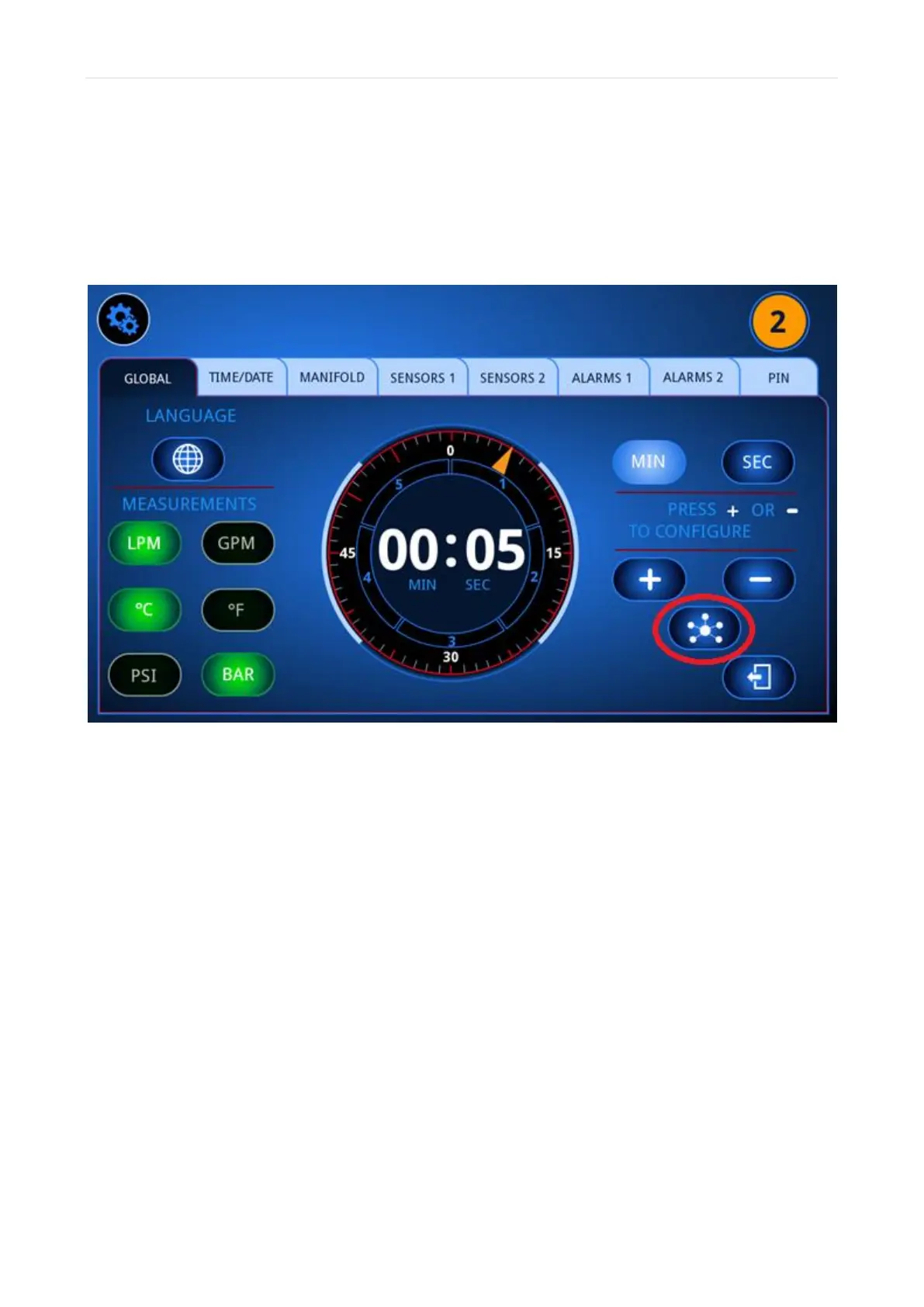
In order to setup dynamic IP allocation, you need to find the Network settings on the
Flosense display. These settings can be found in the global settings menu, seen below
marked with a red circle.



 To Next Page