P a g e | 2
User Guidelines – Flosense VNC 09-10-2020 Version 001
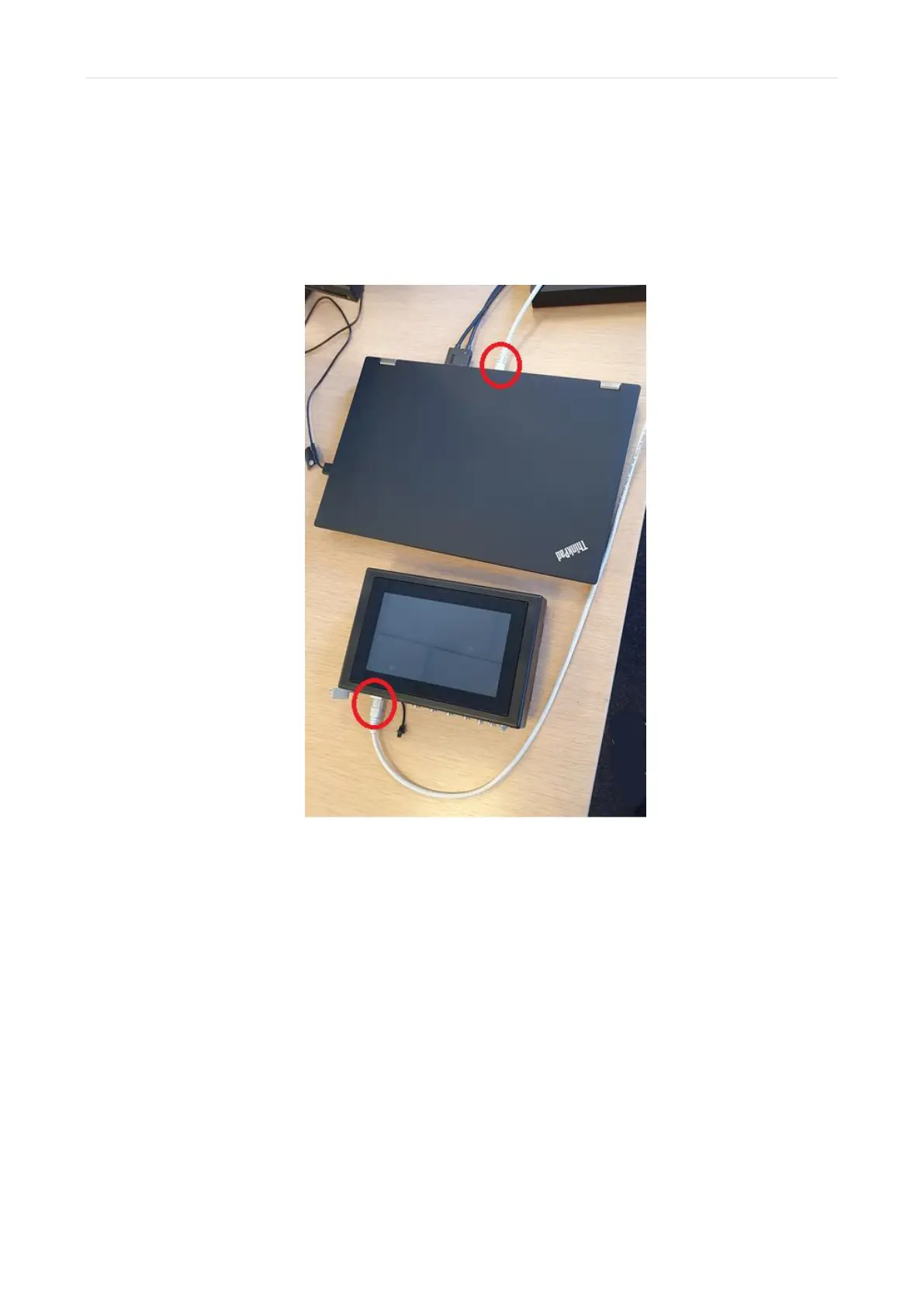
1) Connect the Flosense display to your unit with an ethernet cable.
The Flosense display needs to be Turned OFF, before connecting the display to the
Machine UI or PC as seen on the picture below. Once they are connected you can turn
on the Flosense display.
2) Find or define the IP-address and Subnet mask for your unit.
If you have already been provided with the IP-address and Subnet mask for your unit,
you can skip this step. Otherwise this section will explain how it is done on the next page.
First, you need to open up the “Network and Sharing Center” on your PC/Unit. This can
be found by opening the “control panel” and entering “Network and Internet” and finally
selecting “Network and Sharing center”
Once this is done, you need to click “Ethernet” (or Local Area Connection) under
connections for the Flosense unit as shown on the image below.



 To Next Page