P a g e | 12
User Guidelines – Flosense VNC 09-10-2020 Version 001
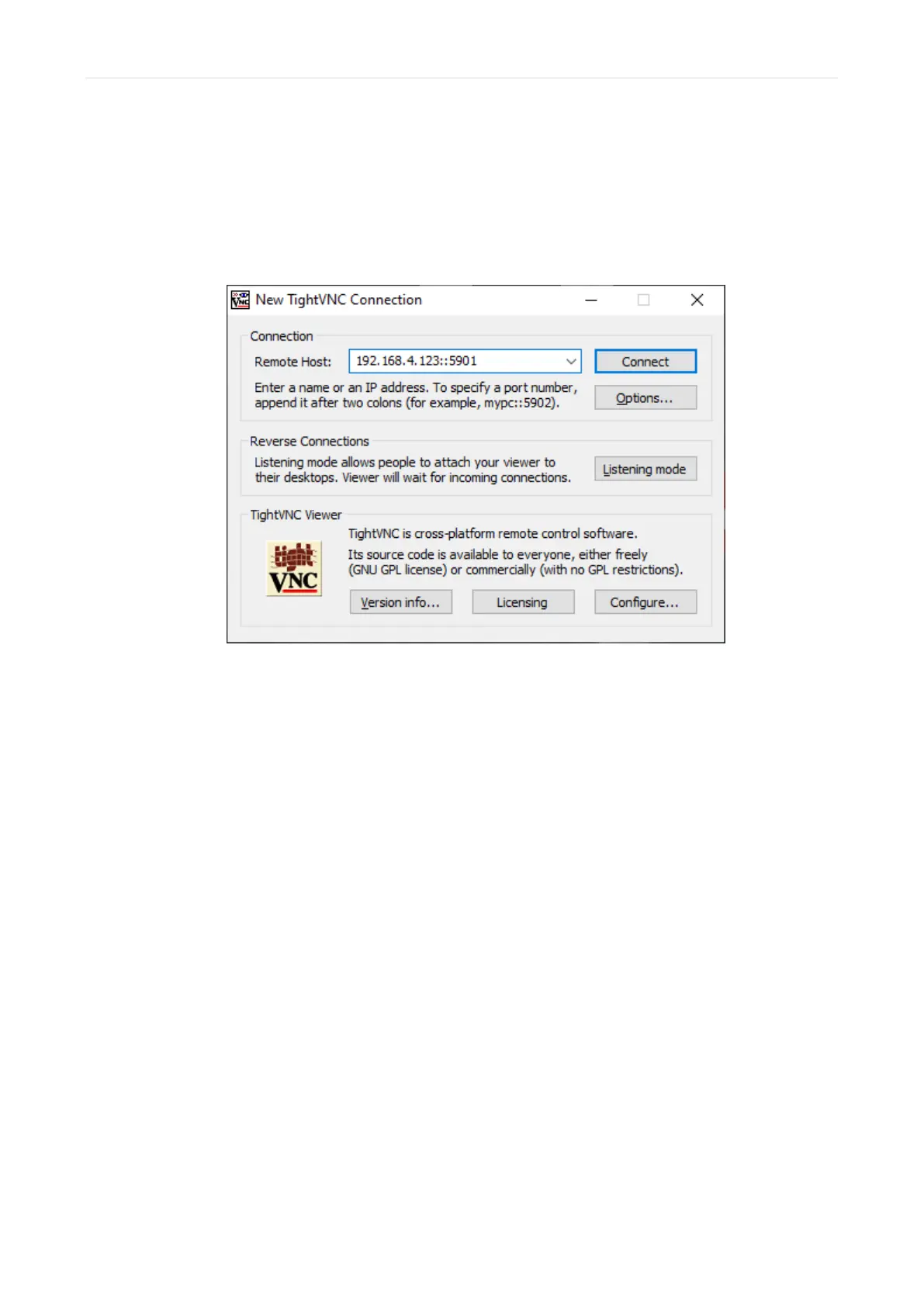
3) Connect the Flosense display to your unit with VNC software
Use the appropriate VNC connection software of your choice to connect the two devices. In
order to connect to the Flosense display, you will need to enter the IP-address of the
Flosense unit, followed by the port number (in this example ::5901) as seen below.
Make sure that you have connected your manifolds to your Flosense display before
connecting the units with VNC, as the VNC connection is lost if the Flosense display is
turned off or rebooted.



 To Next Page