P a g e | 5
User Guidelines – Flosense VNC 09-10-2020 Version 001
After opening “properties”, select the “TCIP/IPv4 (Internet protocol version 4) as shown
above. Then press “properties” again as shown.
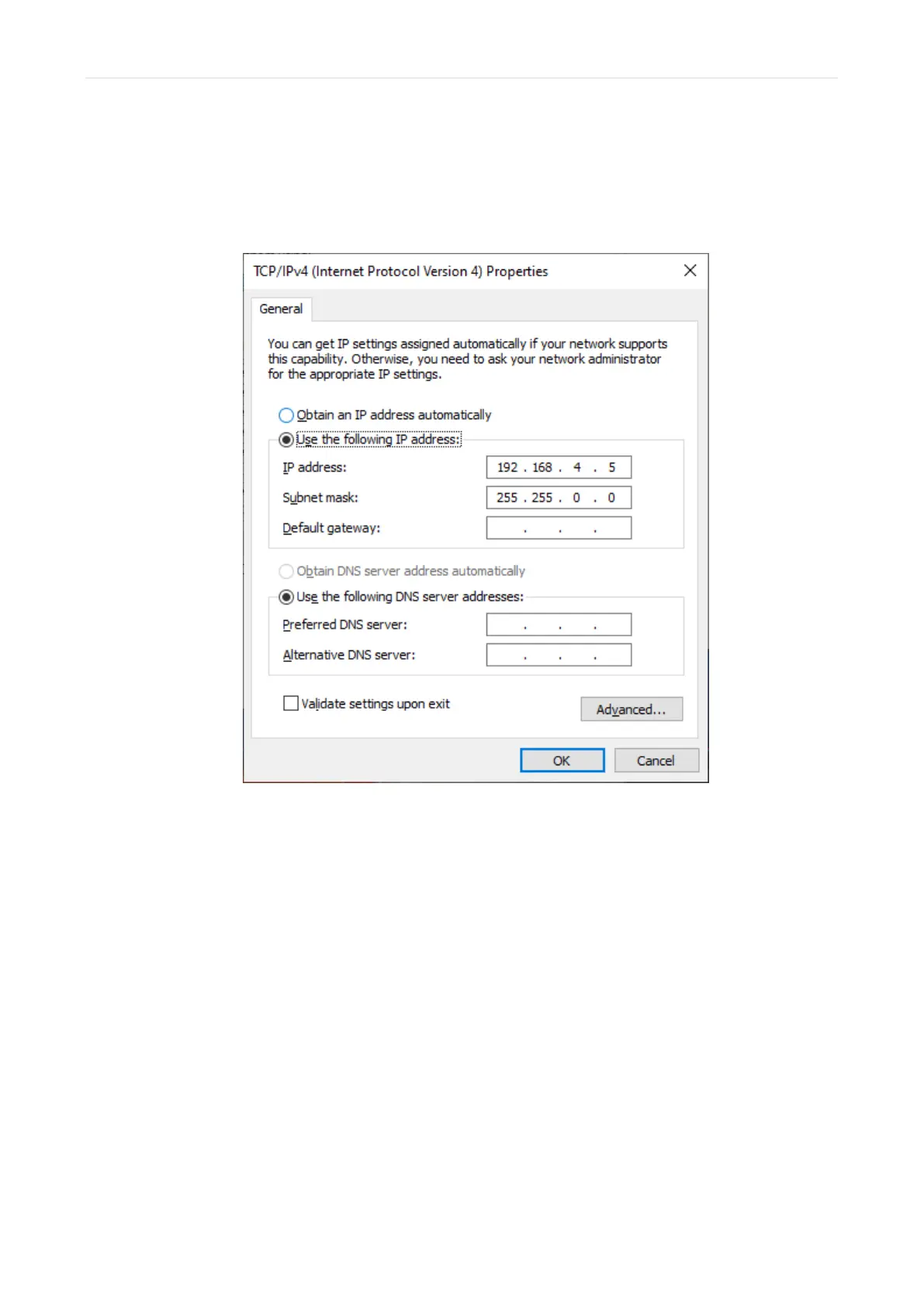
This will show the properties for the TCP/IPv4, as seen below
Input the network data you wish. For the subnet mask, it is highly recommended to
input 255.255.0.0 as seen above.
When entering the IP-address, if you have input the recommended subnet mask, the
first 6 digits of the IP address will be assigned to your PC/Unit by your network and you
can select the remaining digits yourself.
The first 6 digits will almost always be 192.168 as shown above, but the remaining
digits may be any number you choose between 1 and 255.
After entering the data above, click OK and your network should be ready to connect.



 To Next Page