P a g e | 7
User Guidelines – Flosense VNC 09-10-2020 Version 001
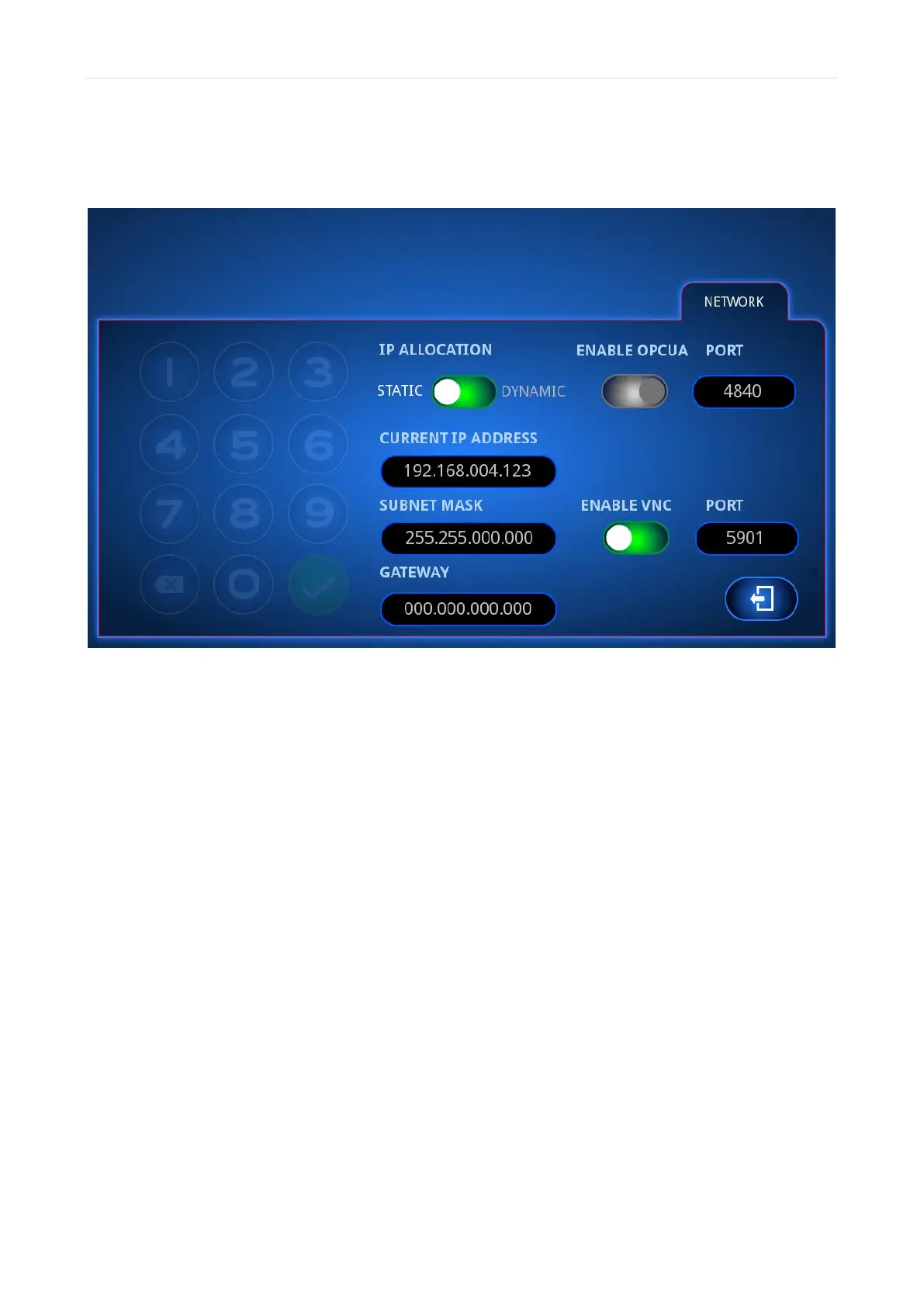
Once you have opened the network settings, you must set IP allocation to STATIC and you
need to enable VNC as seen below.
Next, the Subnet mask need to be exactly the same as the subnet mask entered in the
TCP/IPv4 settings earlier.
If you entered the recommended Subnet mask, The IP-address entered here need to start
with the same 6 digits as before (192.168), followed by 6 digits of your choice. The only two
restrictions to these 6 digits are
• They need to be between 1 and 255
• They cannot be exactly the same digits as the ones entered in the TCP/IPv4 earlier
Gateway does not need to be filled out, but if you accidentally do, you can change it to
000.000.000.
After entering these values, you need to exit the menu in order for the changes to take effect.



 To Next Page