EN - 172
Reset password
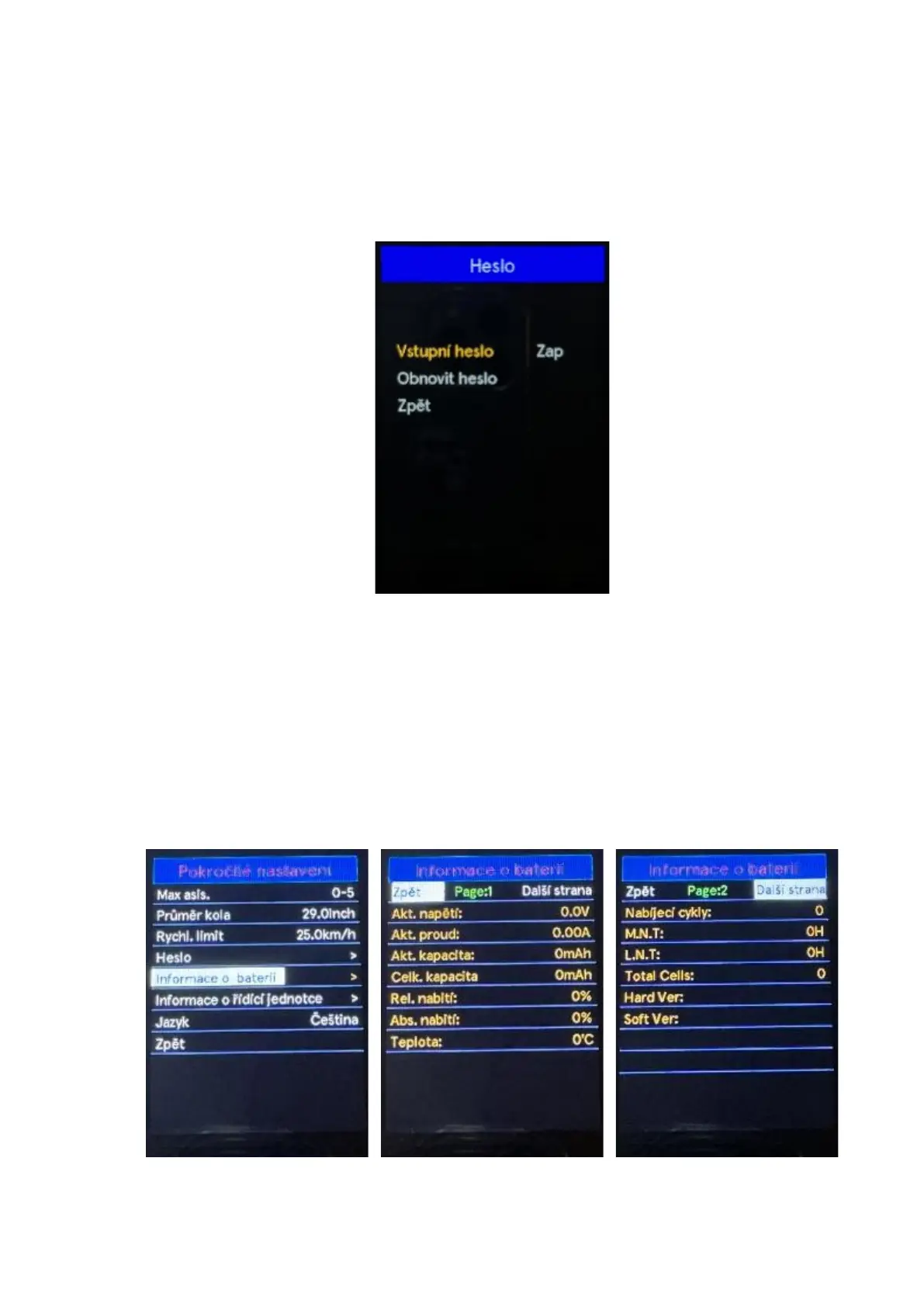
When password is enabled. A Reset your code option is added to the password menu. Use the "+"
or "-" buttons to select the reset password menu. By pressing the "i" button confirm the option and
enter the password change menu after entering the current password. Enter the new password
according to the instructions for entering a new password. After successfully entering the
password, you will automatically return to the previous menu within two seconds. To return to the
main interface, press and hold the "i" button or select Back in the menu press the "i" button again to
confirm the selection.
Disable password:
In the Password menu, select OFF. Press the "i" button to confirm the option, then you will be
prompted to enter a password After entering the correct password will be cancelled and password
cancelled will be displayed on the display, then within two seconds you will automatically return to
the previous menu. Select Back in the menu to return to the main interface Press the "i" button
again to confirm the selection.
◆ Battery info
Use the "+" or "-" buttons to select the Battery Info, by pressing the "i" button confirm the option and
the battery information will be displayed. To return to the main interface, press and hold the "i"
button or select Back in the menu press the "i" button again to confirm the selection.
Note: Only displayed when using batteries with BMS.



 To Next Page