EN - 187
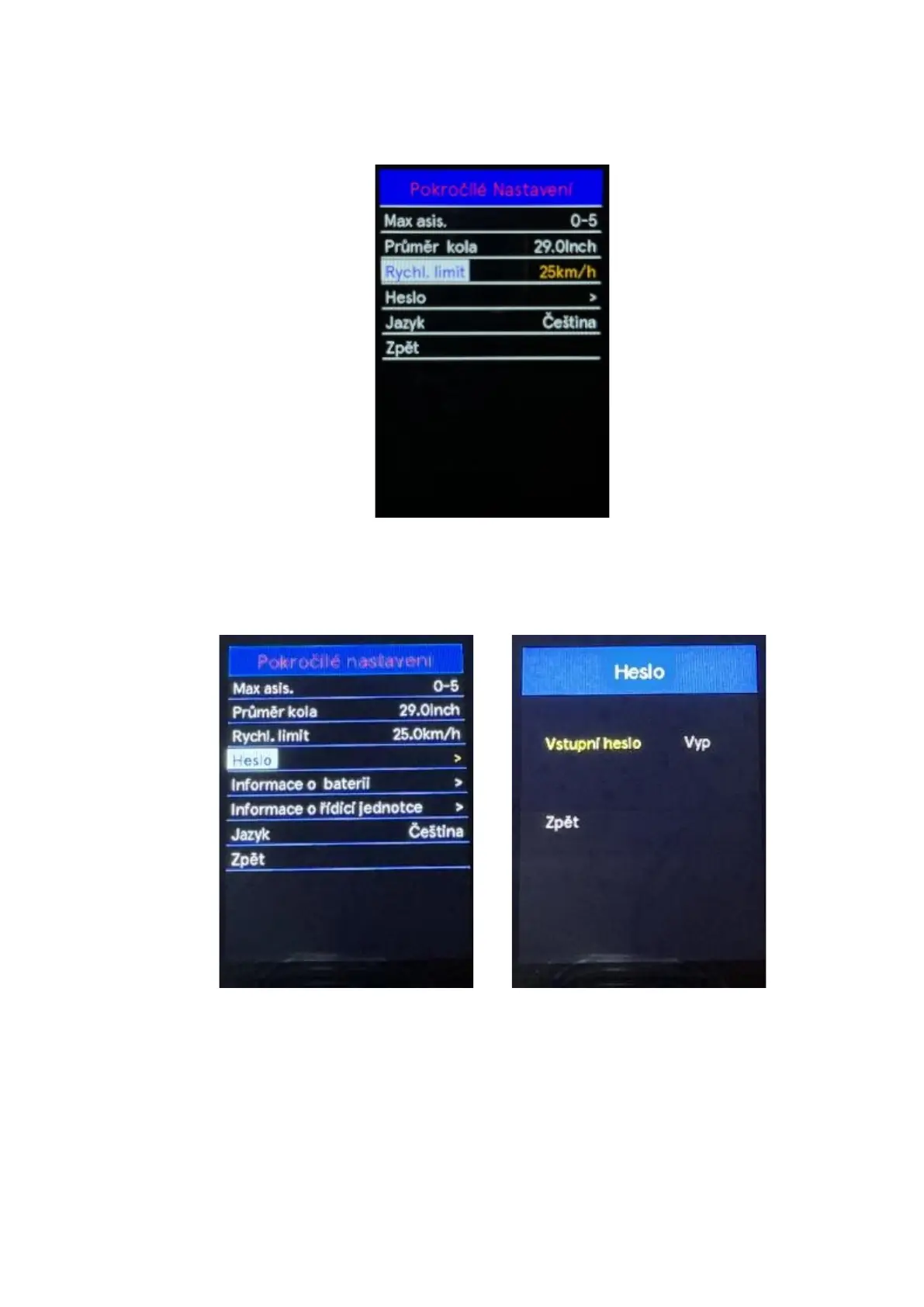
◆ Speed limit
Use the "+" or "-" buttons to select the Speed limit, by pressing the "i" button confirm the option and
information about the speed limit will be displayed. To return to the main interface, press and hold
the "i" button or select Back in the menu press the "i" button again to confirm the selection.
◆ Password
Use the "+" or "-" buttons to select the Password, by pressing the "i" button confirm the option and
enter the boot password setting menu. By default, the password requirement is disabled. Use the
"+" or "-" buttons to select the " PassWord" menu boot” Press the “i” key to switch from OFF to ON.
Press the "i" button to confirm the option, then you will be prompted to enter a password.
Use the "+" or "-" buttons to toggle between numbers 0-9. Press the "i" button to confirm the
selected number and proceed to set the next digit of the password. After entering the 4 digits of the
password, confirm the entry by pressing the "i" button. You will then be prompted to re-enter your
password. Re-enter the set password in the same way. If the entered password matches the
original password, the system will notify you that the password was entered successfully (the
password was successfully restarted). Otherwise, you need to repeat the first step to enter a new
password and confirm the password again. Select Back in the menu to return to the main interface
Press the "i" button again to confirm the selection.



 To Next Page