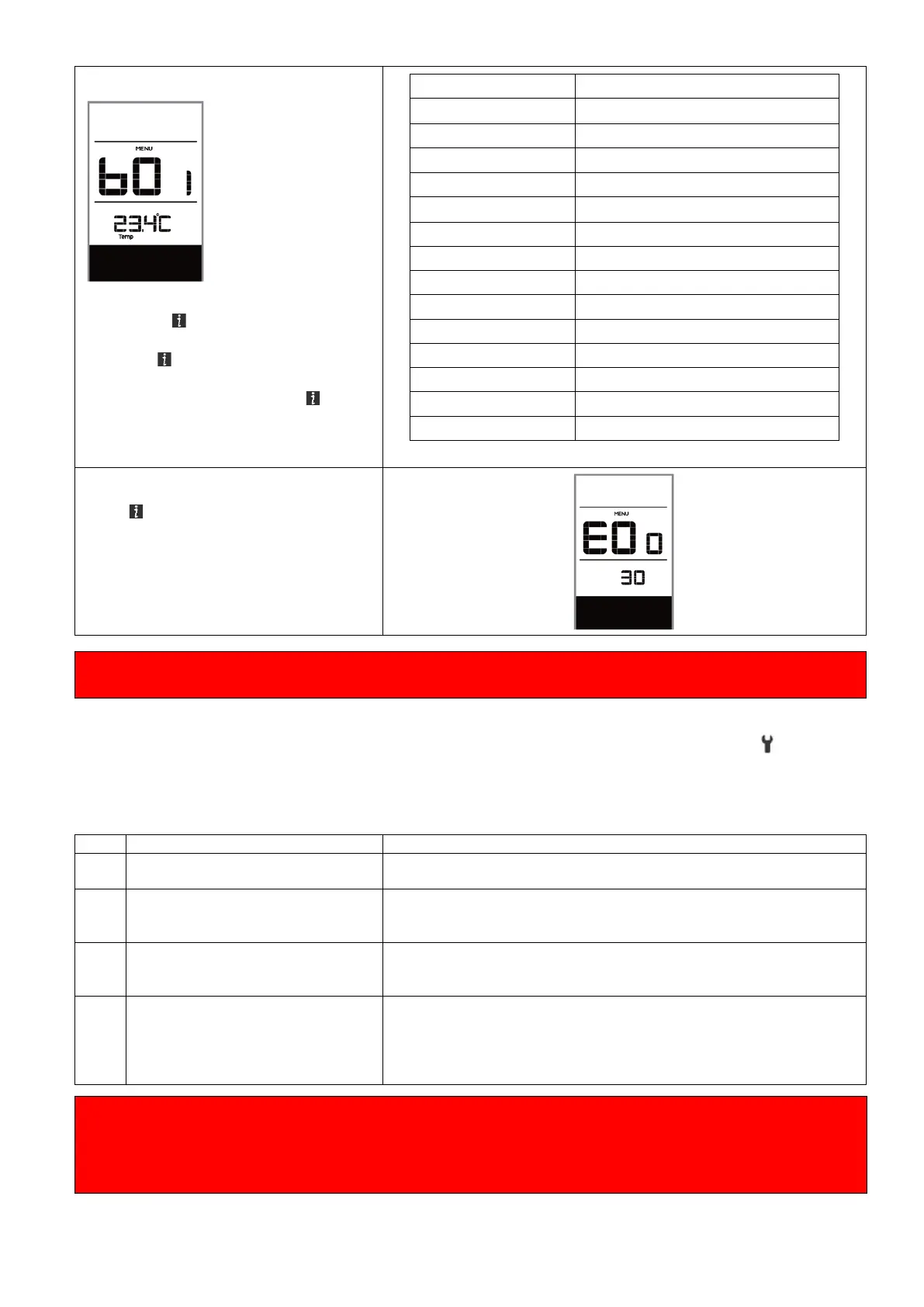
Battery Information „b01“
When the system is on, quickly press
(<0.3S) the button twice to access
the “MENU” interface, repetitively
press the button until the “b01”
appears on the display (as shown
below). You can briefly press (0.3s)
to view all information of the
NOTE: If no data is detected, "--" is
displayed.
Maximum not charging time (Hr)
Recently not charging time (Hr)
Message of Error Code „E00“
press (0.3s) to view last ten Error
Code “EO0” to “EO9”. Error code "00"
means that there is no error.
If an error code is displayed, have the problem corrected. Otherwise you will not be able to ride the e-
bike normally. Always contact an authorized bicycle dealer.
◆ ERROR CODE DEFINITION
The display can show the errors of a pedelec. If an error is detected, the wrench icon appears on
the display and one of the following error codes will be displayed.
Note: Please read the description of the error code carefully. If you see the error code, restart the
system first. If the problem is not resolved, please contact your dealer. Always make sure that the
connectors are inserted correctly. If a code that is not in the table appears, contact your dealer.
Remove the battery. Re-Insert the battery. If the problem persists,
please contact your retailer.
The temperature inside the engine
has reached its maximum
protection value
Turn off the system and allow the Pedelec to cool down. If the
problem persists, please contact your retailer.
The protection temperature inside
the controller has reached its
maxi- mum protection value
Turn off the system and allow the Pedelec to cool down. If the
problem persists, please contact your retailer.
1. Restart the system
2. Check that the magnet attached to the spoke is aligned with the
speed sensor and that the distance is between 10 mm and 20 mm.
3. Check that the speed sensor connector is connected correctly.
4. If the error persists, please contact your retailer.
Beware of safe use. Do not attempt to loosen or reconnect the connector while charging the battery or
while the battery power is on.
Avoid the risk of electric shock.
Do not subject the display to shocks.
Do not modify system parameters to avoid parameter mismatch.



 To Next Page