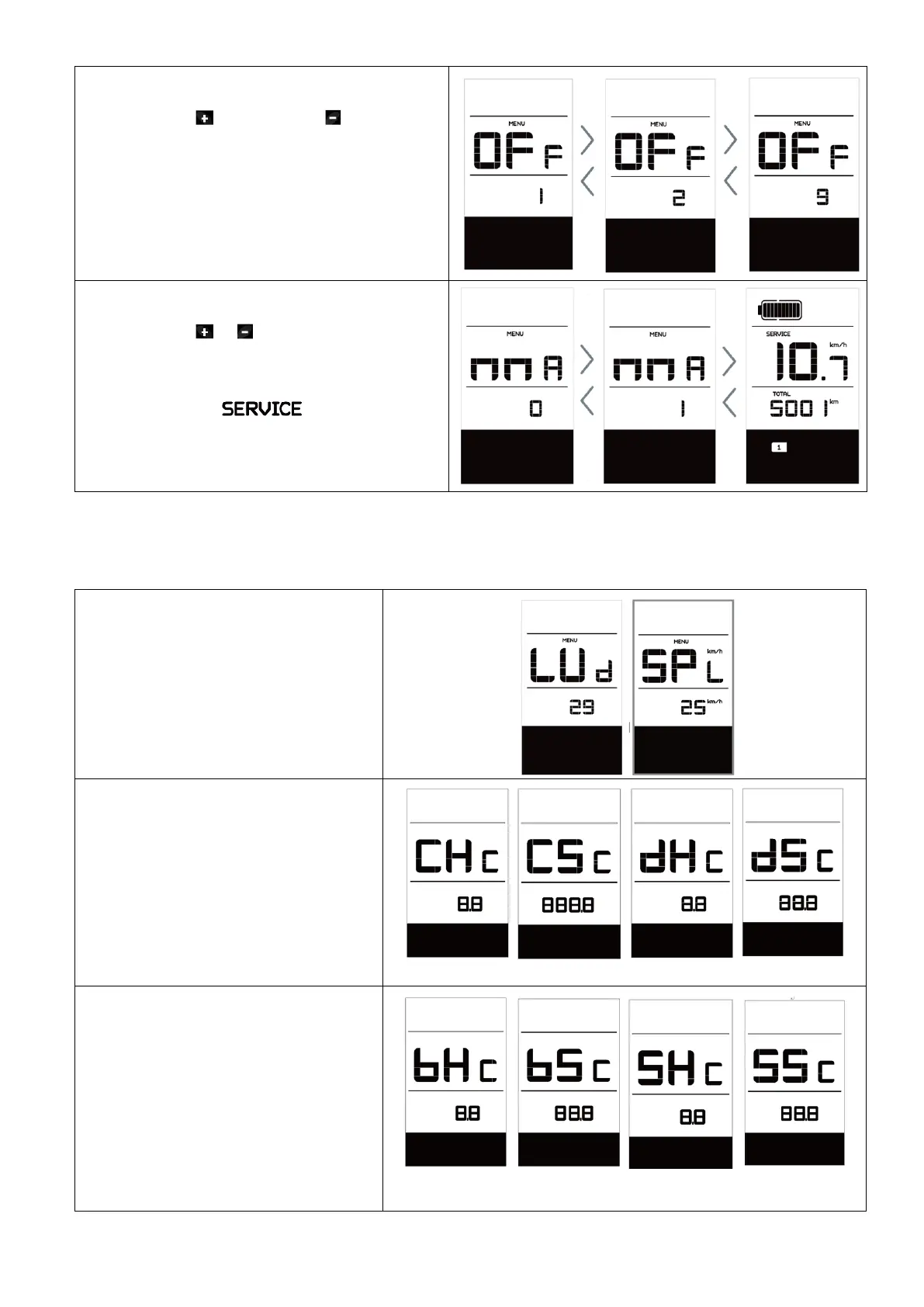
Set Auto Off „OFF“
Now using the to increase or to reduce
(brightness for 1-9minute).
Service Tip „nnA“
Now using the or to choose between “0”
or “1”. Chose 0 means turn off the notification.
NOTE: If the “Service" function switch on,
every 5000 km (the mileage of more than 5000
km) the indicator " " is displayed
every time at switch on.
The following setting items are informative and cannot be changed.
NOTE: Some information is not displayed unless a torque sensor is installed.
Wheel Size „LUd“
Speed Limit „SPL“
Controller hardware info „CHc“
(Controller Hardware Check)
Controller software info „CSc“
(Controller Software Check)
Display hardware info „dHc“
(Display Hardware Check)
Display software info „dSc“
(Display Software Check)
BMS hardware info „bHc“
(BMS Hardware Check)
BMS software info „bSc“
(BMS Software Check)
Sensor hardware info „SHc“
(Sensor Hardware Check)
Sensor software info „SSc“
(Sensor Software Check)



 To Next Page