1
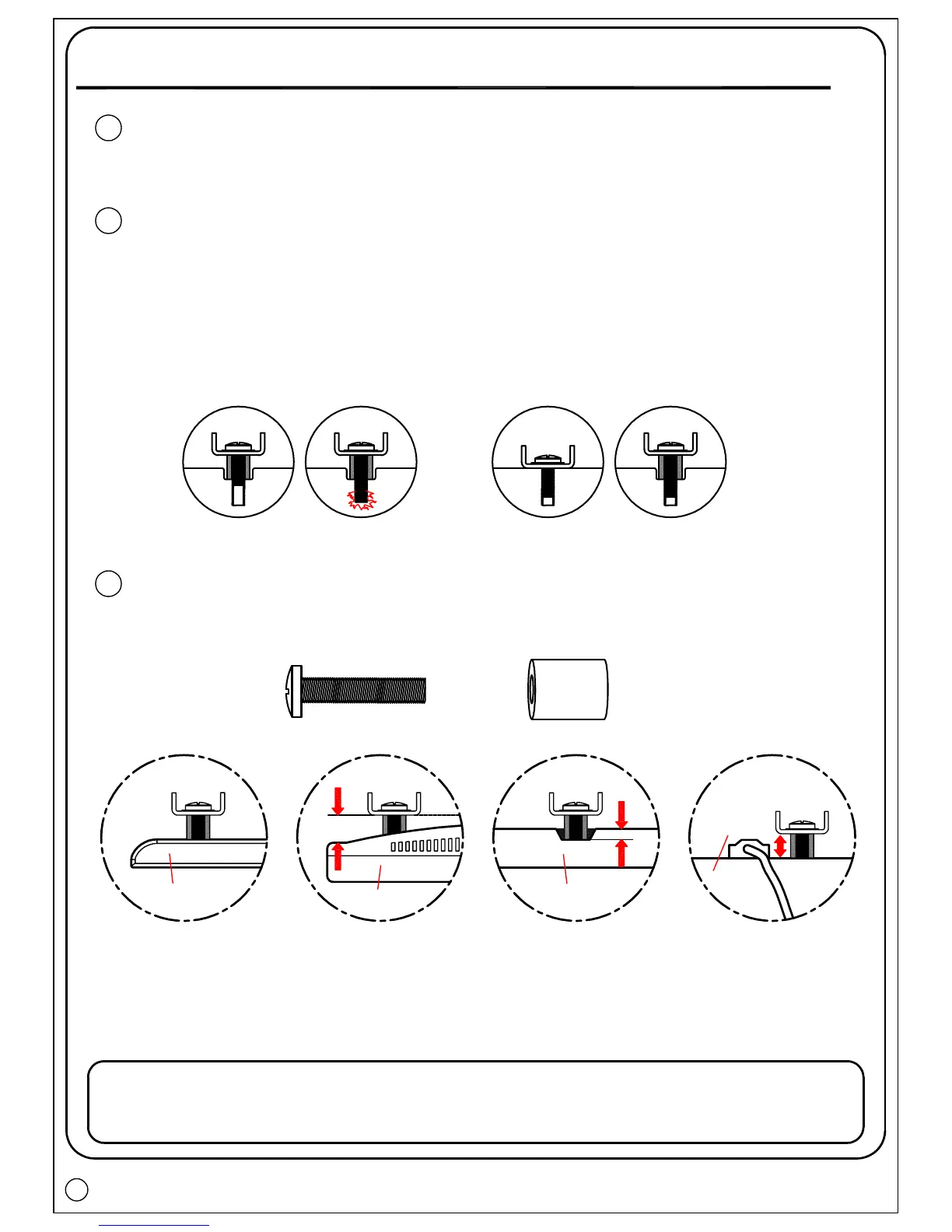
Select TV hardware (diameter / length / combination)
Bolt diameter: hand thread bolts into threaded inserts on the back of
TV to determine correct bolt diameter (M4, M5, M6, M8).
Too Short
Bolt length: verify adequate thread engagement with bolts or
bolts/spacers combination. We recommend thread engagement
by at least 5 turns.
- Too short will not hold the TV.
- Too long will damage the TV.
Too Long
Correct
2
Add distance to wall Irregular back Inset holes
Cables
Bolt and spacer combination: spacers sometimes are needed to
combine with bolts for several situations.
+
(For detail bolts and spacers combination, please refer to Page 7)
3
TV back
TV back
TV back
TV back
Carefully lay your TV on a non-abrasive surface, or lay it with a padding underneath
it so as not to damage the screen.
Step 2
5



 To Next Page