22
OPERATION (cont.)
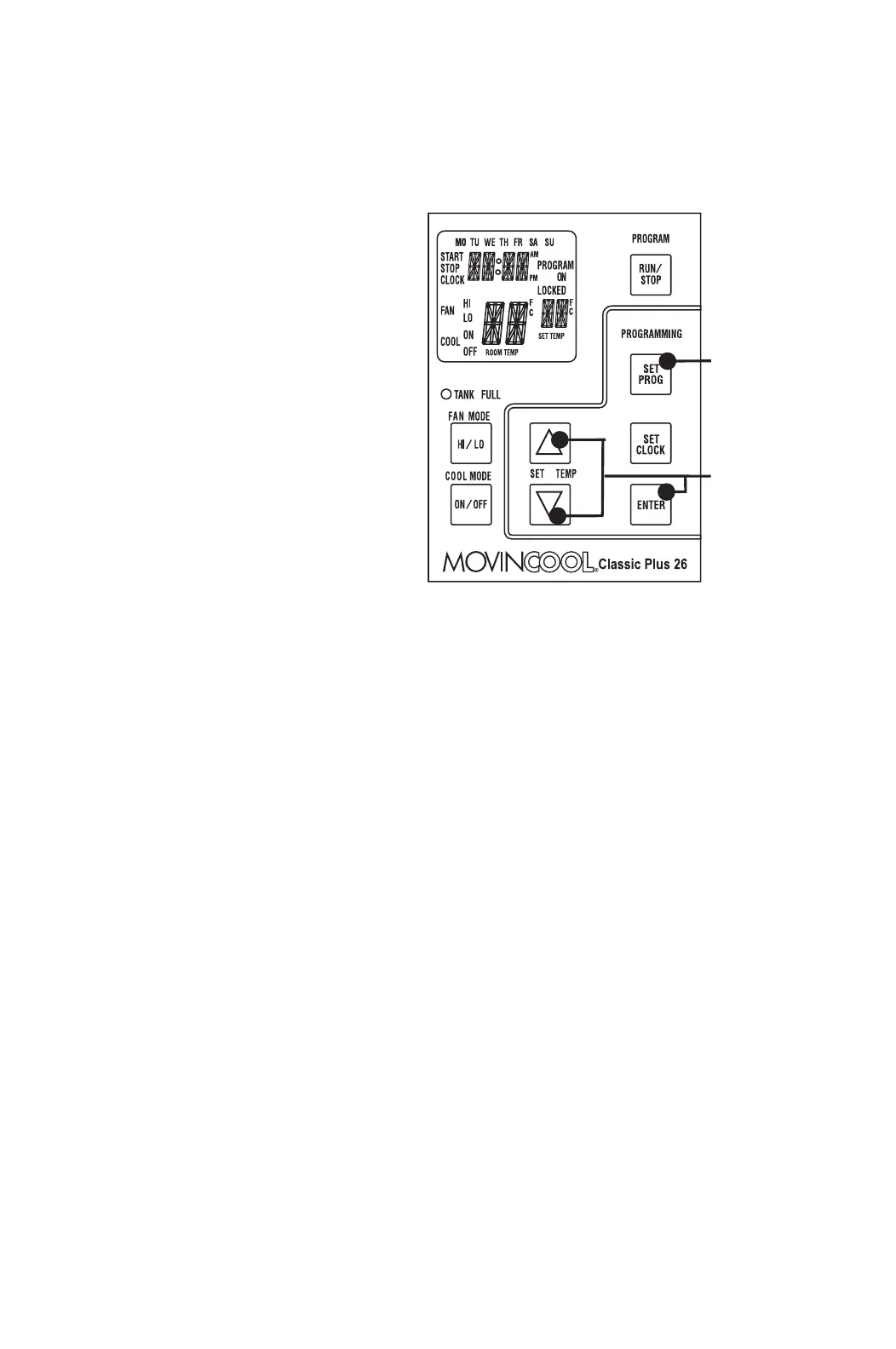
How to Set a Program
SET START TIME
1. Press and hold the SET PROG
button for 3 sec or until beep.
2. Press SET TEMP buttons to
scroll day of the week.
3. Press ENTER button.
4. Press SET TEMP buttons to
select desired hour.
5. Press ENTER button.
6. Press SET TEMP buttons to
select desired minute.
7. Press ENTER button.
SET STOP TIME
8. Press SET TEMP buttons to
scroll day of the week.
9. Press ENTER button.
10. Press SET TEMP buttons to select desired hour.
11. Press ENTER button.
12. Press SET TEMP buttons to select desired minute.
13. Press ENTER button.
SET FAN SPEED
14. Press SET TEMP buttons to select desired fan speed.
15. Press ENTER button.
SET SET-POINT TEMPERATURE
16. Press SET TEMP buttons to select desired temperature.
17. Press ENTER button.
EXIT PROGRAM EDITING MODE
18. Press SET PROG button to exit program editing mode.
EDIT MULTIPLE PROGRAMS
19. Repeat step 1. to 18. to set up multiple programs.
Note: Maximum 7 programming sequences
Step 1 & 18
Step 2 to 17








 To Next Page