MGate MB3000 Modbus Gateway User Manual
Modbus
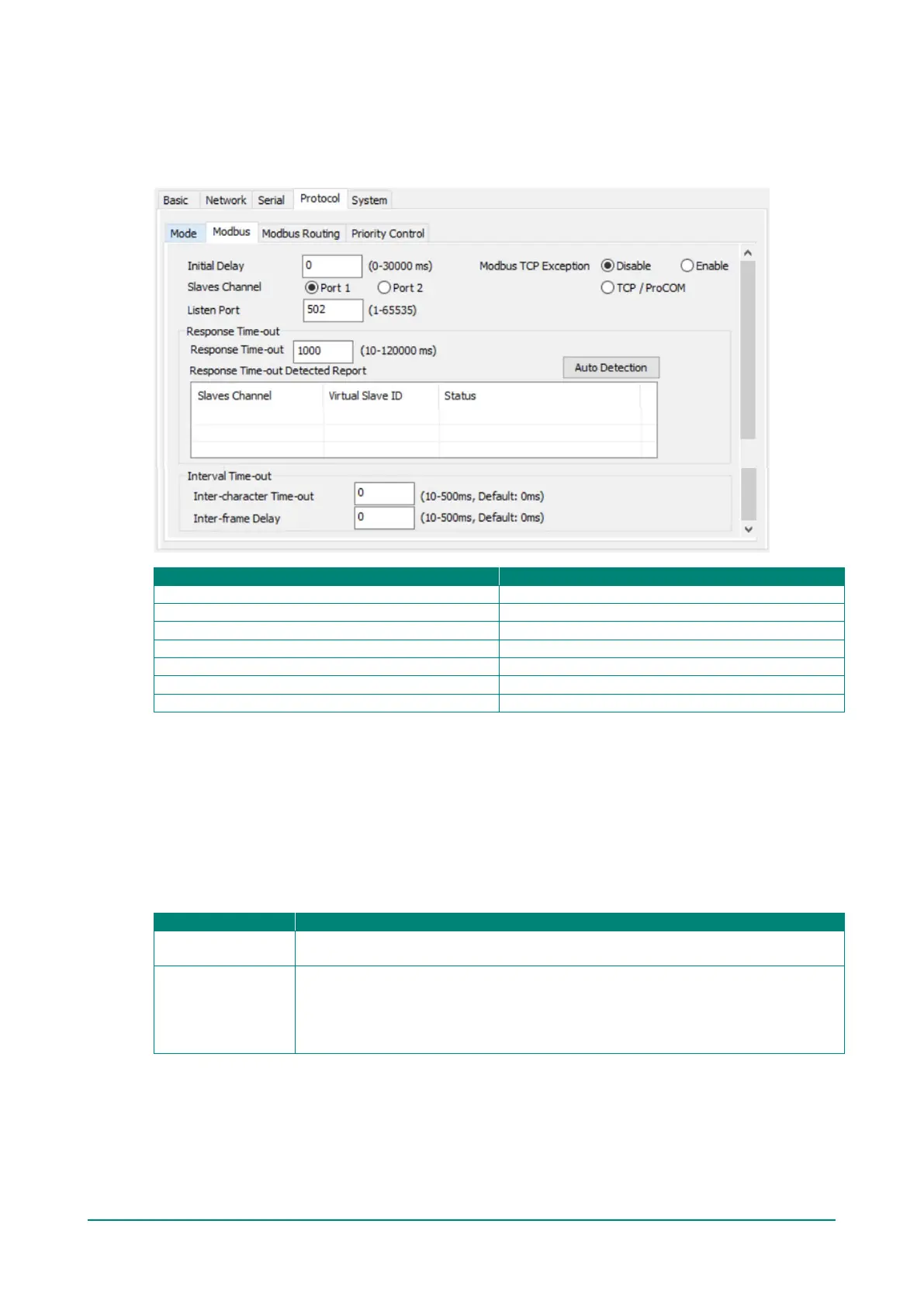
The Modbus tab is where certain adjustments can be made to fine-tune the communication between
different Modbus networks. You can configure Initial Delay, Modbus TCP Exception, Slave Channel, and
Response Time-out.
Port 1, Port 2, TCP/ProCOM
Initial Delay
Some Modbus slaves may take more time to boot up than other devices. For certain environments, this may
cause the entire system to suffer from repeated exceptions during the initial boot-up. You can force the
MGate to wait after booting up before sending the first request with the Initial Delay setting.
Modbus TCP Exception
The MGate MB3000 is a protocol gateway that transparently passes requests and responses between the
Ethernet and serial interfaces. In some situations, it may be necessary for the gateway to return an
exception in response to a request from a Modbus TCP clients. This is enabled or disabled with the Modbus
TCP Exception setting. When enabled, the unit can return two types of exceptions:
Time-out
There is no response from the slave. Maybe the device is offline or the serial cable is
broken. (Exception code = 0x0B, MB_EXC_NORESP)
Request dropped
There are two situations that will result in this exception:
The request queue is full, and 32 request queue is for each master. (Exception code =
0x06, MB_EXC_BUSY)
The destination ID is not included in the slave ID table. (Exception code = 0x0A,
MB_EXC_UNAVAILABLE)
Not all Modbus TCP clients require this exception, so it is up to you to determine if this setting should be
enabled.














 To Next Page