MGate MB3000 Modbus Gateway User Manual
Load Default
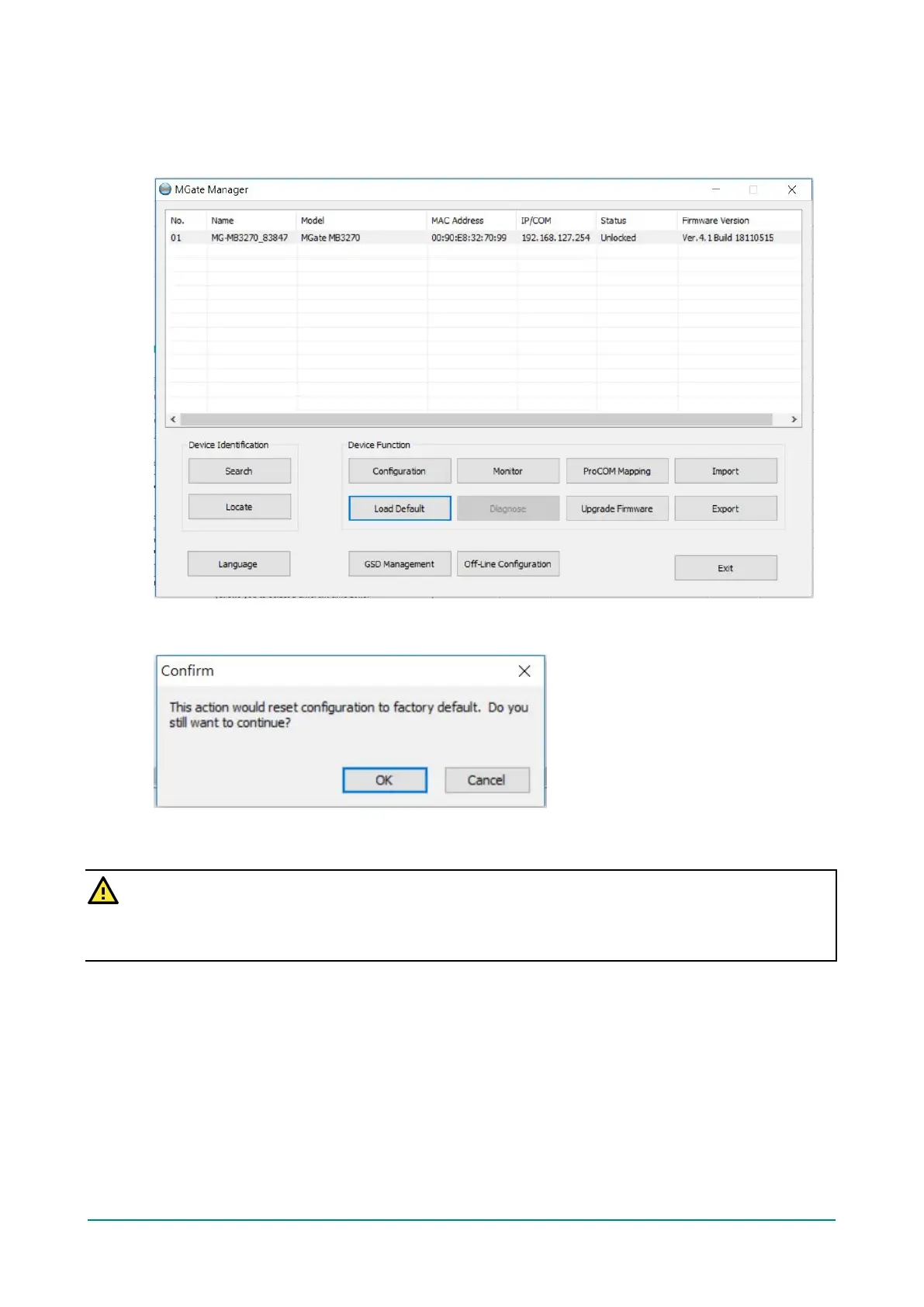
To clear all the settings on the unit, use the Load Default button to reset the unit to its initial factory
default values.
Click Load Default and review the confirmation message. If you are sure you would like to reset the
configuration to factory defaults, click the OK button. If not, click Cancel.
After the MGate Manager resets completely, MGate Manager will automatically execute a Broadcast Search
for all MGate units on the LAN. Your MGate should reappear in the list of units.
ATTENTION
Load Default will completely reset the configuration of the unit, and all of the parameters you have saved
will be discarded. Do not use this function unless you are sure you want to completely reset your unit.














 To Next Page