26
Parameter
Default
Value Setting Definitions
P.29 4
Baud Rate
1
=
1200
bps 2
=
2400
bps 3
=
4800
bps 4
=
9600
bps
P.30 0
Parity Mode
0
=
No Parity 1
=
Odd Parity 2
=
Even Parity
P.31 2
Stop Bits
1
=
1 Stop Bit 2
=
2 Stop Bits
(The 2
nd
Stop Bit is available only when No Parity is selected)
P.32 1
ms Delay Before Response Range: 1 –
100
ms
Current
Value
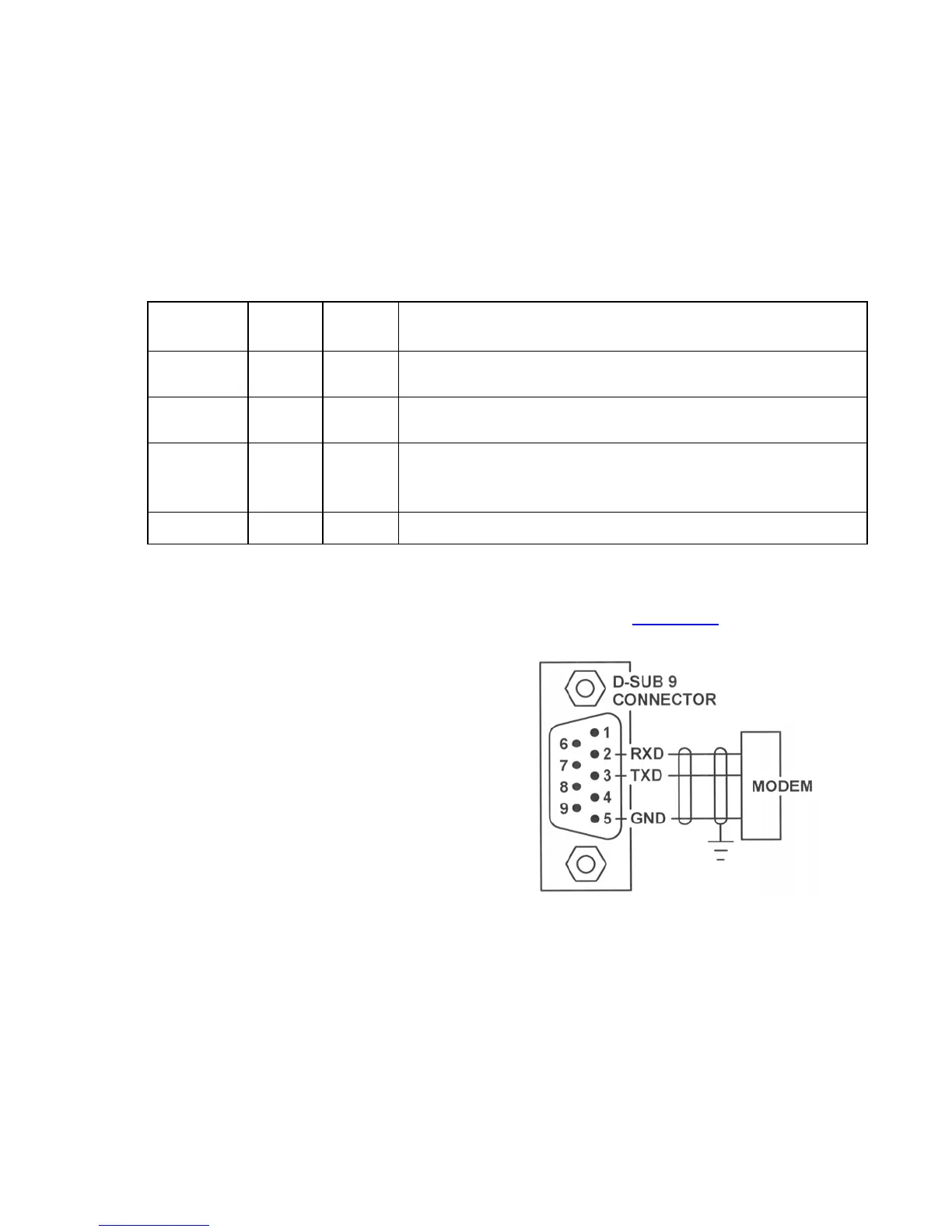
RS232 SERIAL PORT
The controller’s RS232 serial port must be setup to communicate with the device it is connected to. The
Baud Rate, Parity Mode and Stop Bits Parameter values of the two devices must be set to match.
The Delay Before Response Parameter (P.32) is provided for cases where the modem needs additional
time to prepare itself before receiving a response back from the controller.
The RS232 serial port allows a SCADA system to communicate with the Controller using the Modbus
RTU protocol.
Setup of RS232 Serial Port
Serial Port



 To Next Page