27
ETHERNET PORT - Option
Setup of Ethernet Port
The Ethernet Port has the following features:
• Protocols Supported: Modbus TCP or Modbus RTU
• IEEE 802.3 Compliant
• 100 Mbps communication speed
• Full-Duplex operation
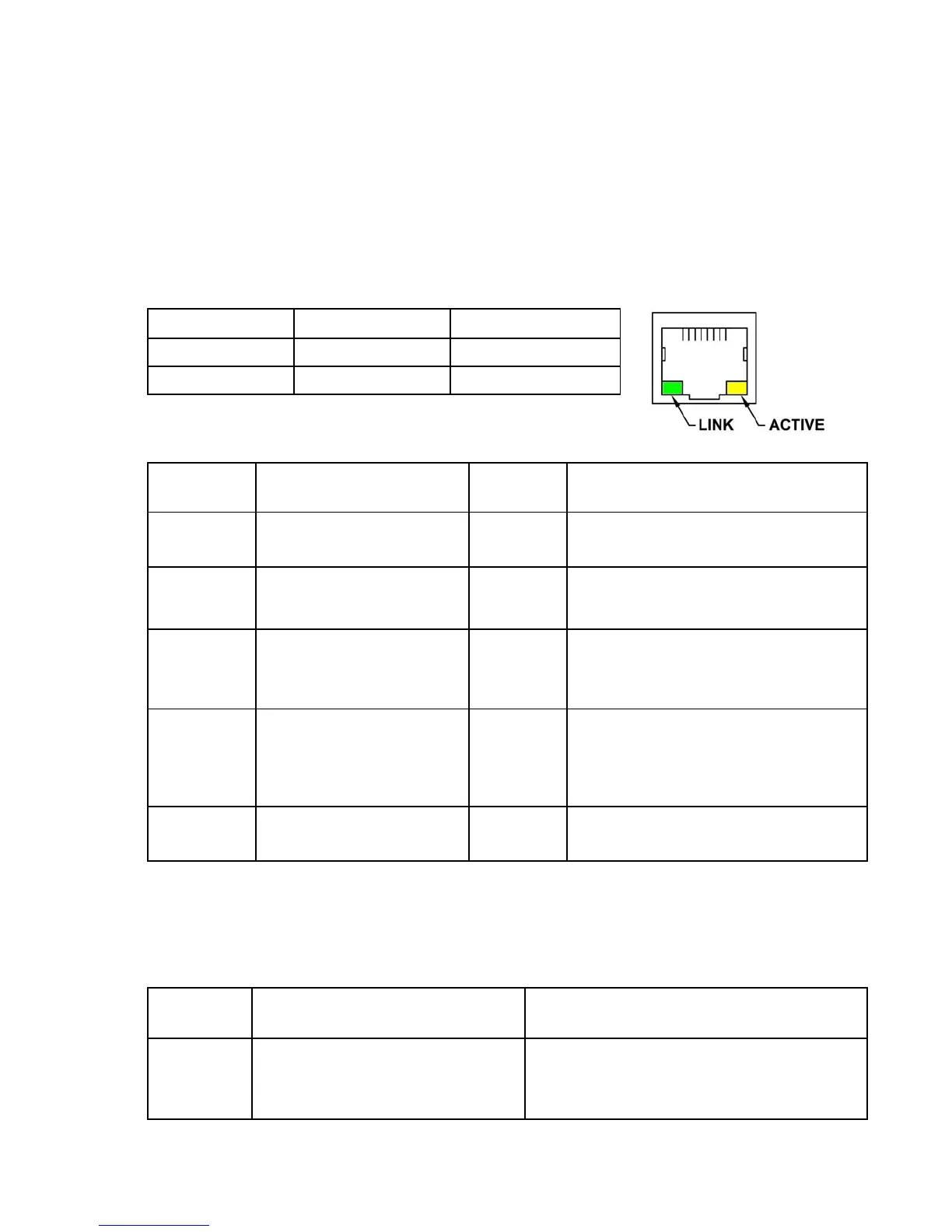
• Link, and Active status LED indicators
Features
Note:
The Ethernet Port reads the setup values upon power up; any changes require the power to be cycled
before the new values are used.
Parameter Default Value
Current
Value Parameter Definitions
E.01
2
Protocol
1
=
Modbus RTU 2
=
Modbus TCP
E.14 - E.11
192 . 168 . 80 . 12
( E.14 . E.13 . E.12 . E.11 )
IP Address Range: 0
-
255
Identifier for the device on an IP network.
E.44 - E.41
255 . 255 . 255 . 0
( E.44 . E.43 . E.42 . E.41 )
Subnet Mask Range: 0
-
255
Range of IP addresses that can be
Directly connected in the network.
E.54 - E.51
192 . 168 . 80 . 1
( E.54 . E.53 . E.52 . E.51 )
Default Gateway Range: 0
-
255
A node on the network that serves as an
entrance to another network when no
direct connection exists.
E.62 - E.61
0 , 502
( E.62 , E.61 )
Port Number
Range: 1
-
65,535
LED Indicator OFF ON
LINK (Green) Not Linked Linked
ACTIVE (Yellow) Idle Active Communication
Parameter Fixed Value
E.36 - E.31
0 : 80
: 194 :
219 : XXX : XXX
(E.36
:
E.35
:
E.34
:
E.33
:
E.32
:
E.31)
Parameter Definition
MAC Address
Unique number that identifies each field device.
It is set at the factory, and can not be changed.
RJ45 Connector



 To Next Page