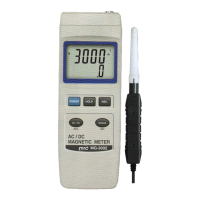
b)Press the " REC Button " ( 3-4, Fig. 1 ) again, the
" REC. MIN " symbol along with the minimum value
will appear on the display.
If intend to delete the minimum value, just press
the " Hold Button " ( 3-3, Fig. 1 ) once, then
the display will show the " REC. " symbol only &
execute the memory function continuously.
c)
To exit the memory record function, just press the
" REC Button " for 2 seconds at least. The display will
revert to the current reading.
Remark :
When make the DC magnetic field measurement
and execute the " RECORD " function, it can not
change from the " North pole " to " South pole "
or from the " South pole " to " North pole "
during the measurement. It can make the
measurement under the same pole ( S pole or N
pole ) only, otherwise the Max., Min. value will
be no sense.
5. ADVANCED SETTING
Press the " SET Button " ( 3-6, Fig. 1 ) continuously at
least two seconds will enter the " Advanced Setting " mode,
then press the " SET Button " ( 3-6, Fig. 1 ) once a while
in sequence to select the three function, the lower Display
will show :
PoFF.....Auto power OFF management
Unit......Select the measurement unit to mT or G
CLr....... For the further calibration usuage, not available
for the end user
8


 To Next Page