46
User Setup
Follow these steps to enter the User Setup:
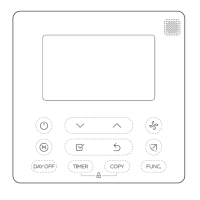
1. Press and hold the
key for approximately 3 seconds until the screen changes.
Menu number will display at bottom right corner.
2. Press
or key to cutover to submenu, and press key enter submenu.
Under submenu use
or to set parameters.
3. Press
key to exit and confirm the user setup, or press to exit without
saving changes.
Note: See Tables 3 for the User Setup Numbers and Settings, and see chapter
INSTALLER SETUP for Operations Reference.


 To Next Page