68
Copy One Day Program
After entering a day program you can copy this into another day to save time when
creating a weekly program: for example, if you want to copy the program of Monday to
Thursday, the methods are as follows:
1. Select the program for Monday, complete the setting of Monday and press
, the
icon
appears on the screen, and the icon Will blink, that indicates
waiting to be selected or skipped. Press
to select, press to skip.
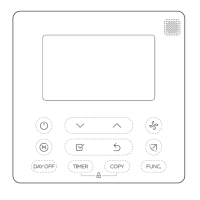
2. Copy to Thursday: press
or to select Thursday, then press to
finish the copying and the icon
disappears.
3. Copying for other days, please repeat from the Step 1 to 2. You can copy
to one day or many days.



 To Next Page