INTERSECTOR Microwave Motion and
Presence Sensor Installation Instructions
MS Sedco INTERSECTOR Installation Instructions Page 11 INTERSECTOR-1.9Uv092717
INSTALLATION (continued)
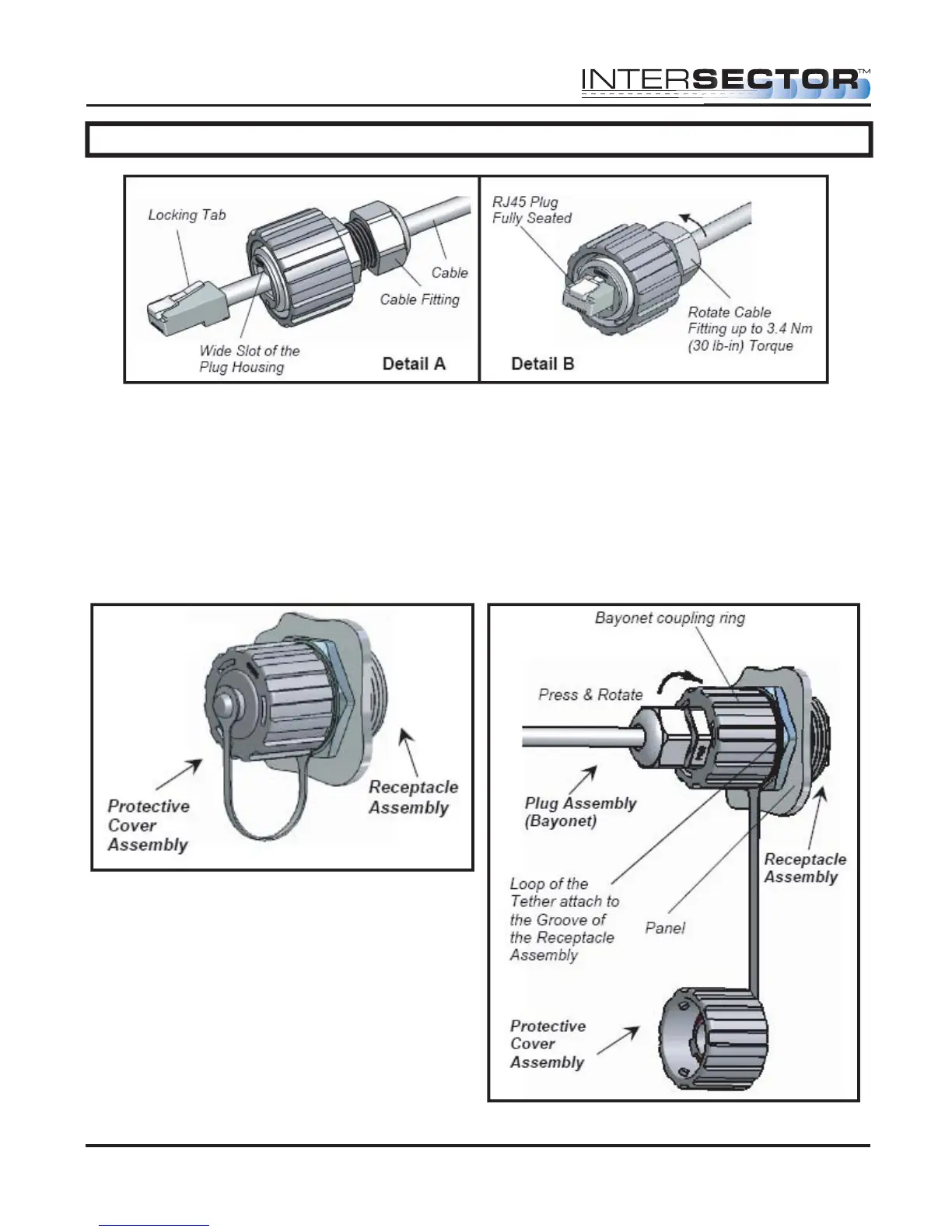
Once the quick connector assembly is completed attach the cable to the sensor.
Remove the protective cover from the sensor receptacle assembly (Figure 9) by gently
rotating the cover counter clockwise. Gently insert the assembled plug (Bayonet) into
the jack adaptor of the RJ45 receptacle, align the 3 keys of the bayonet coupling ring
with the 3 channels of the receptacle, and rotate the bayonet coupling ring until the 3
keys “click” into the bayonet channels (Figure 10).
Figure 10
Figure 9
Figure 8



 To Next Page