INSTALLATION (continued)
When the sensor is connected to the setup port, it will receive power from the interface
card.
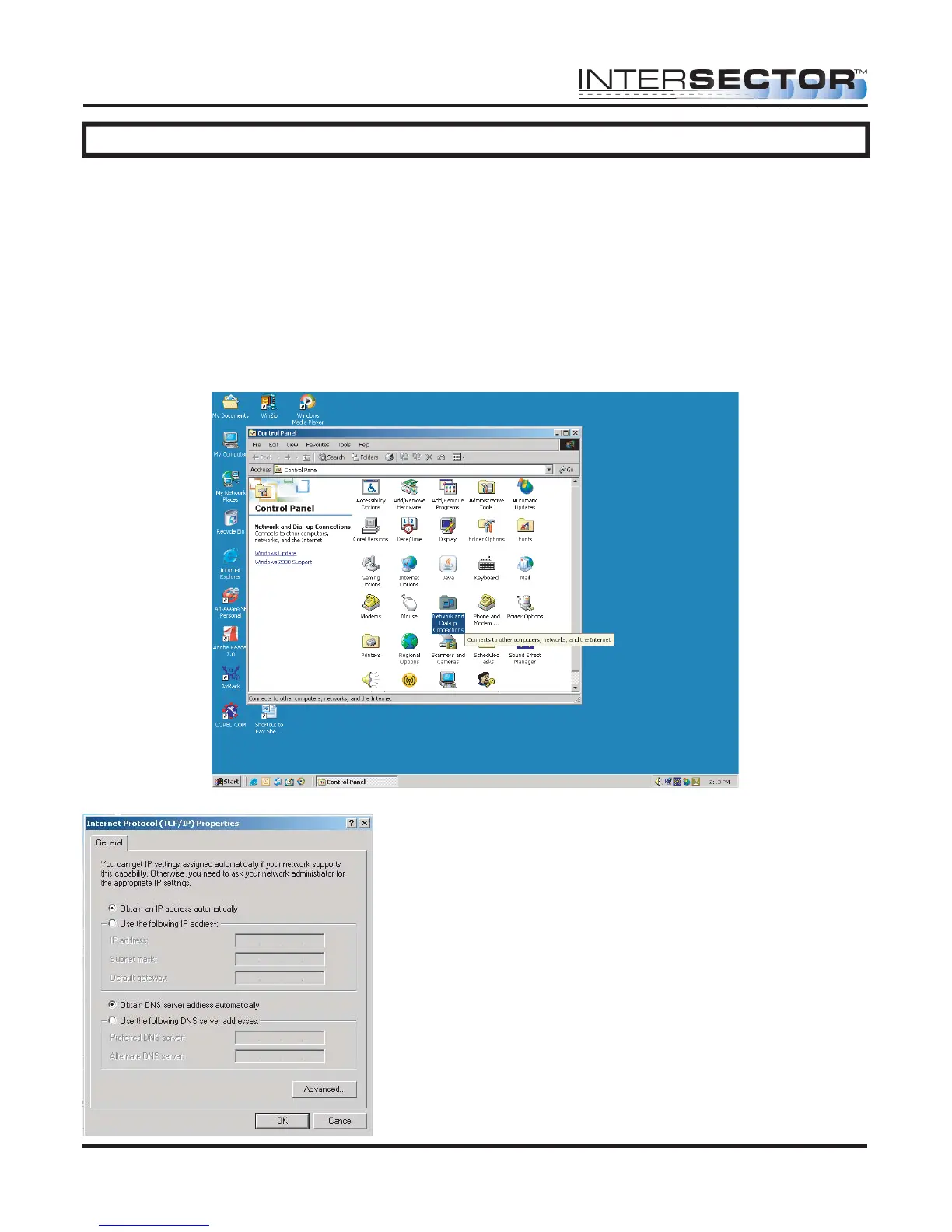
Set your computer for a Dedicated IP Address:
1. Select the START button at the lower left of the computer screen.
2. Select SETTINGS and open CONTROL PANEL.
3. Select NETWORK AND DIAL UP CONNECTIONS (NETWORK AND SHARING
CENTER for Vista, NETWORK AND SHARING for Windows 7).
3b. For Vista, choose MANAGE NETWORK CONNECTION. For Windows 7, select
CHANGE ADAPTER SETTINGS.
4. Select Local Area Network.
5. Click on Internet Protocol TCP/IP (Internet
Protocol version 4TCP/IPV4 for Vista or
Windows 7).
6. Select Properties.
INTERSECTOR
Microwave Motion and
Presence Sensor Installation Instructions
MS Sedco INTERSECTOR Installation Instructions Page 13 INTERSECTOR-1.9Uv092717



 To Next Page