CHANGING THE INTERSECTOR IP ADDRESS (cont.)
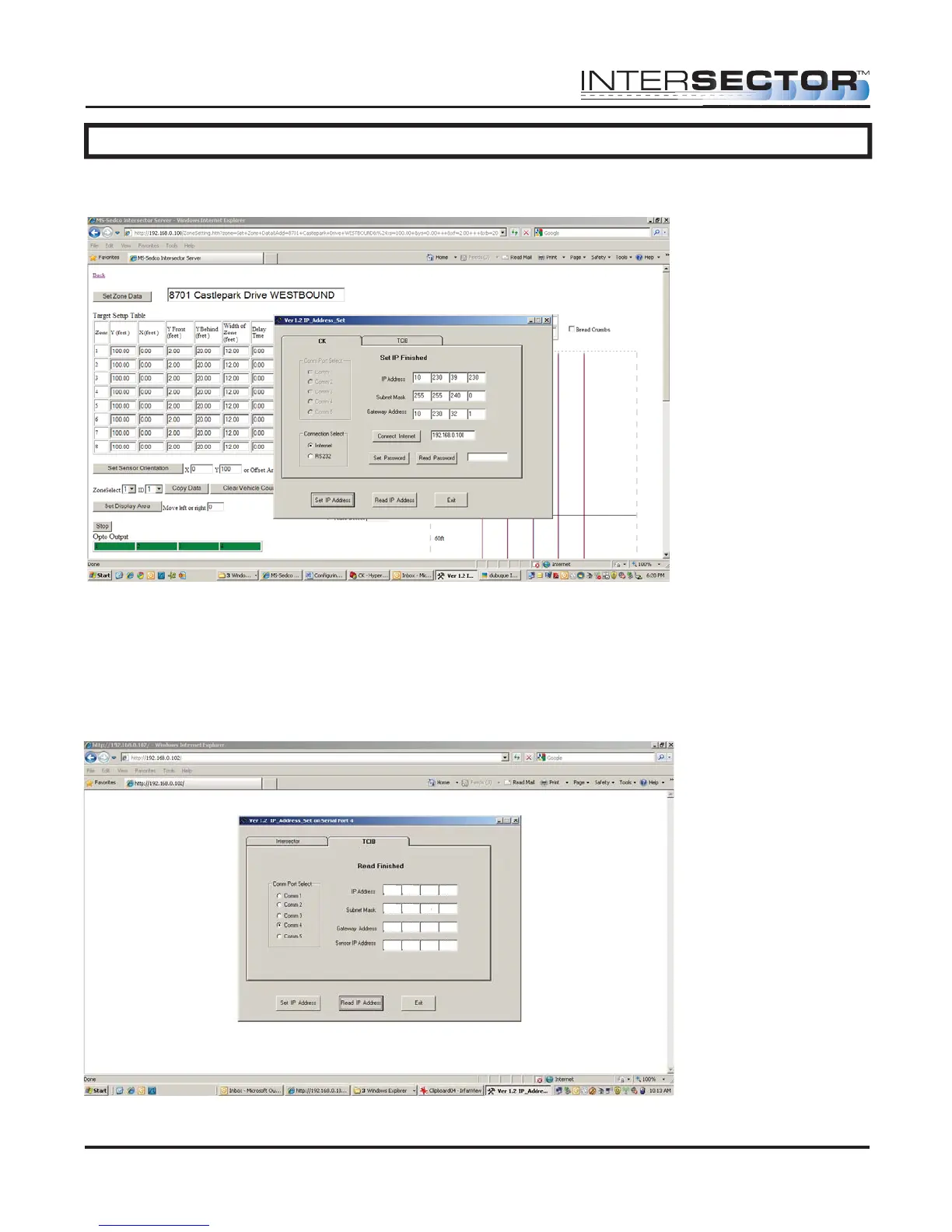
Enter the new IP address, Subnet Mask, and Gateway address, then click “Set IP
Address”.
The next step is to set the IP address for the TCIB via the RS232 cable. With the TCIB
connected to the laptop via the RS232, run IP_Address_Set. Choose the TCIB tab and
select the correct Comm Port. Click “Read IP Address”. Change the information in
boxes to reflect the new IP address, Subnet Mask, Gateway address, and INTERSECTOR
IP address. Click “Set IP Address” and wait until the message “Set IP Address Finished”
is displayed.
INTERSECTOR
Microwave Motion and
Presence Sensor Installation Instructions
MS Sedco INTERSECTOR Installation Instructions Page 30 INTERSECTOR-1.9Uv092717
10 230 39 230
10 230 39 231
255 255 240 0
10 230 32 1



 To Next Page