INTERSECTOR Microwave Motion and
Presence Sensor Installation Instructions
MS Sedco INTERSECTOR Installation Instructions Page Addendum-10 INTERSECTOR-1.9Uv092717
EXPLANATION OF CHANGES (CONTINUED)
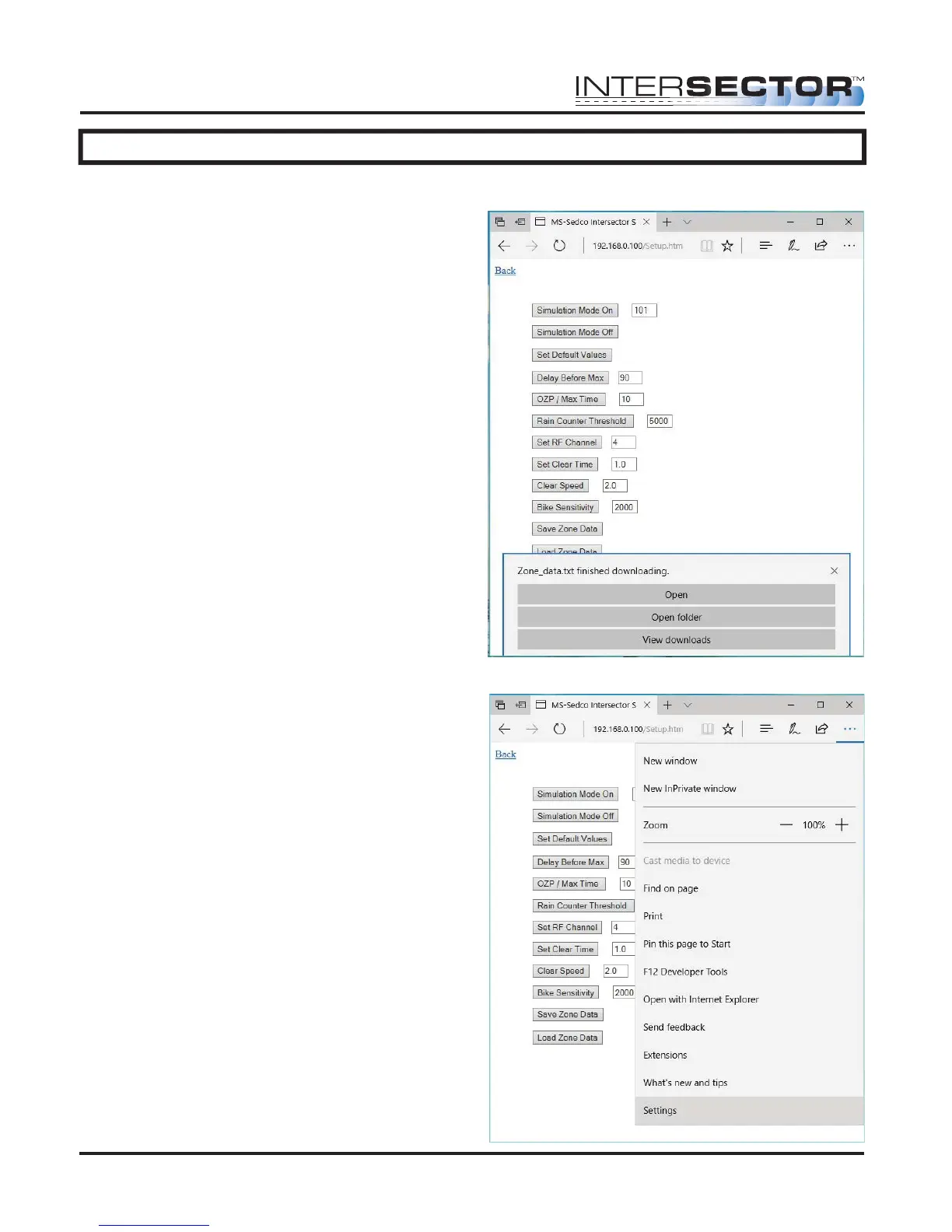
Microsoft Edge
When using Microsoft Edge, downloads are
automatically saved to the Downloads
folder. A pop-up menu will allow users to
Open, Open folder, or View Downloads, as
shown in Figure 16.
To change options for saving files, select the
“More” menu, and click on “Settings”, as
shown in Figure 17.
Figure 16
Figure 17



 To Next Page