INTERSECTOR Microwave Motion and
Presence Sensor Installation Instructions
MS Sedco INTERSECTOR Installation Instructions Page Addendum-11 INTERSECTOR-1.9Uv092717
EXPLANATION OF CHANGES (CONTINUED)
Microsoft Edge (continued)
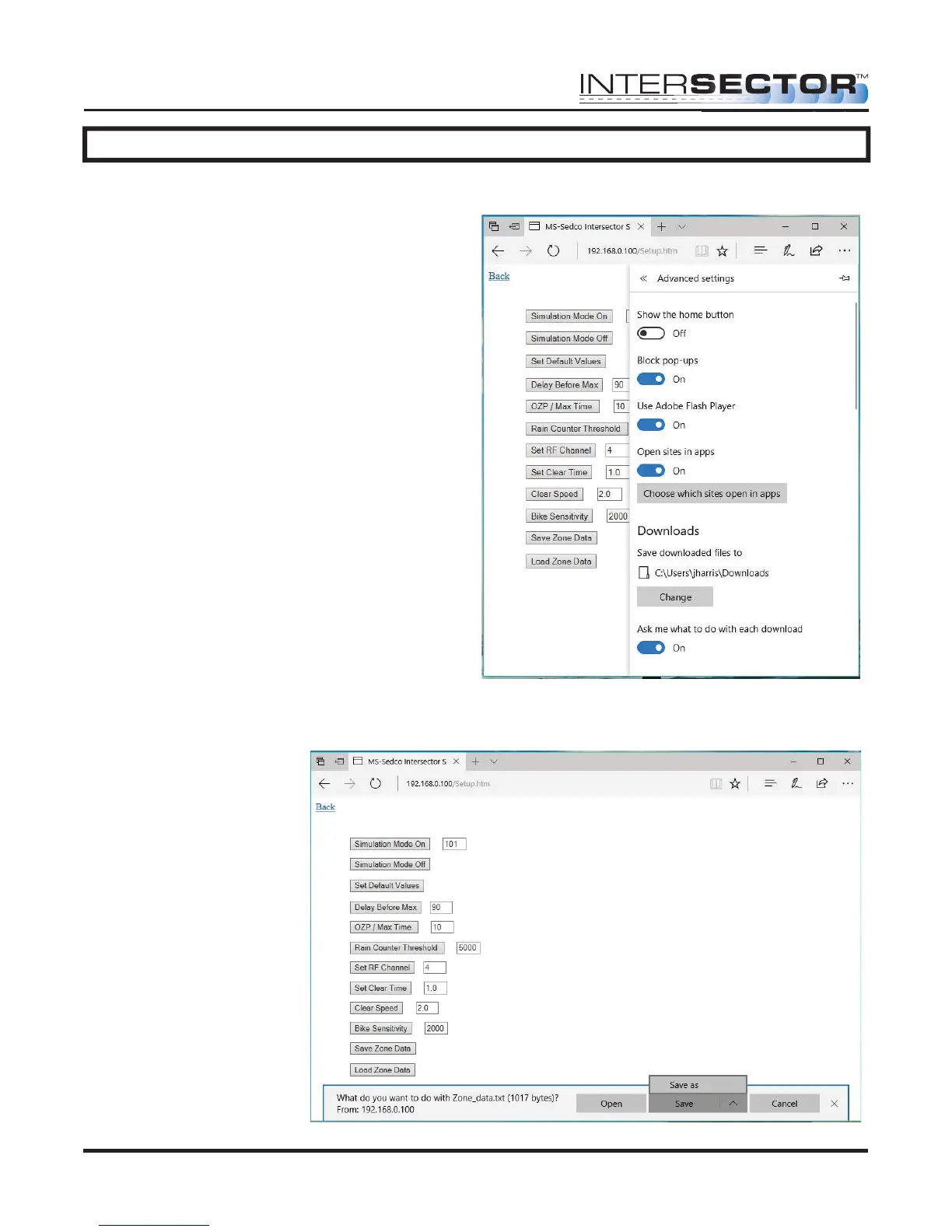
Scroll down until “Advanced settings” is
displayed, and select “View advanced
settings”. Enable “Ask me what to do with
each download” under the Downloads
section, as shown in Figure 18.
After enabling this
option, whenever “Save
Zone Data” is selected,
a window will appear
allowing user to “Save
As” and navigate to the
desired folder, as
shown in Figure 19.
Figure 18
Figure 19



 To Next Page