Page 26
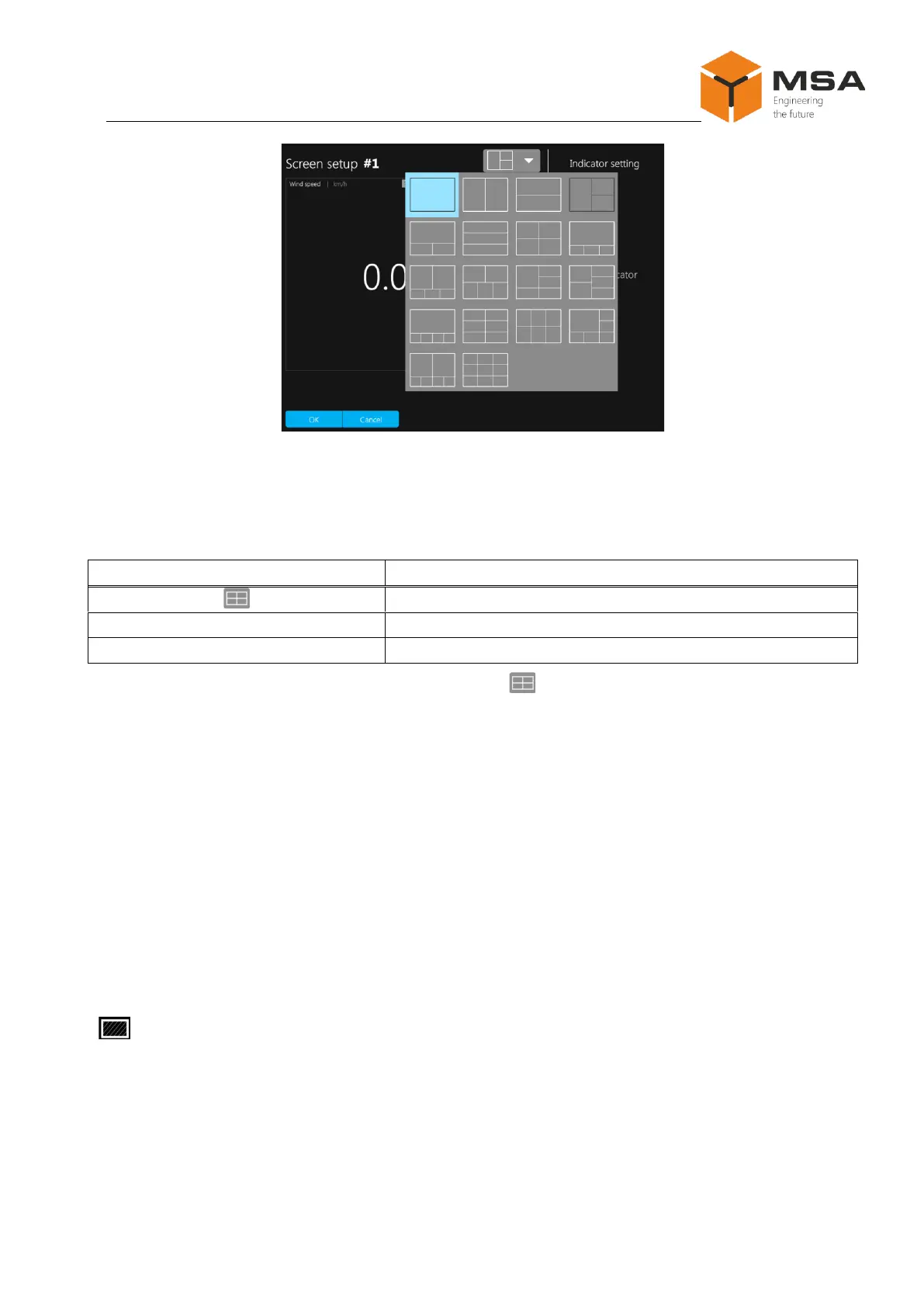
Figure 17 – Variants of screen patterns
The following controls are located on Screen setup tab page, see Table 15.
Table 15 – The controls of Screen setup tab page
To set up an appropriate pattern, press « » and select a relevant icon from the
drop-down list, se Figure 17.
Then press button ОК after the select.
Note – Not all display modes and not all data types are available for every pattern.
2.3.12.2 Display mode select
After selecting a pattern in multi-screen mode, a user should set up a data display
mode.
To configure a display mode or edit a screen - highlight it, see Figure 18. As you
can see in the Figure, the screen is highlighted with blue.
If you do not need to display data in one of the screens, press
« » while editing the relevant screen.



 To Next Page